mirror of
https://github.com/huggingface/diffusers.git
synced 2026-01-27 17:22:53 +03:00

68 lines
3.0 KiB
Markdown
68 lines
3.0 KiB
Markdown
<!--Copyright 2023 The HuggingFace Team. All rights reserved.
|
|
|
|
Licensed under the Apache License, Version 2.0 (the "License"); you may not use this file except in compliance with
|
|
the License. You may obtain a copy of the License at
|
|
|
|
http://www.apache.org/licenses/LICENSE-2.0
|
|
|
|
Unless required by applicable law or agreed to in writing, software distributed under the License is distributed on
|
|
an "AS IS" BASIS, WITHOUT WARRANTIES OR CONDITIONS OF ANY KIND, either express or implied. See the License for the
|
|
specific language governing permissions and limitations under the License.
|
|
-->
|
|
|
|
# Improve image quality with deterministic generation
|
|
|
|
[[open-in-colab]]
|
|
|
|
A common way to improve the quality of generated images is with *deterministic batch generation*, generate a batch of images and select one image to improve with a more detailed prompt in a second round of inference. The key is to pass a list of [`torch.Generator`](https://pytorch.org/docs/stable/generated/torch.Generator.html#generator)'s to the pipeline for batched image generation, and tie each `Generator` to a seed so you can reuse it for an image.
|
|
|
|
Let's use [`runwayml/stable-diffusion-v1-5`](https://huggingface.co/runwayml/stable-diffusion-v1-5) for example, and generate several versions of the following prompt:
|
|
|
|
```py
|
|
prompt = "Labrador in the style of Vermeer"
|
|
```
|
|
|
|
Instantiate a pipeline with [`DiffusionPipeline.from_pretrained`] and place it on a GPU (if available):
|
|
|
|
```python
|
|
import torch
|
|
from diffusers import DiffusionPipeline
|
|
from diffusers.utils import make_image_grid
|
|
|
|
pipe = DiffusionPipeline.from_pretrained(
|
|
"runwayml/stable-diffusion-v1-5", torch_dtype=torch.float16, use_safetensors=True
|
|
)
|
|
pipe = pipe.to("cuda")
|
|
```
|
|
|
|
Now, define four different `Generator`s and assign each `Generator` a seed (`0` to `3`) so you can reuse a `Generator` later for a specific image:
|
|
|
|
```python
|
|
generator = [torch.Generator(device="cuda").manual_seed(i) for i in range(4)]
|
|
```
|
|
|
|
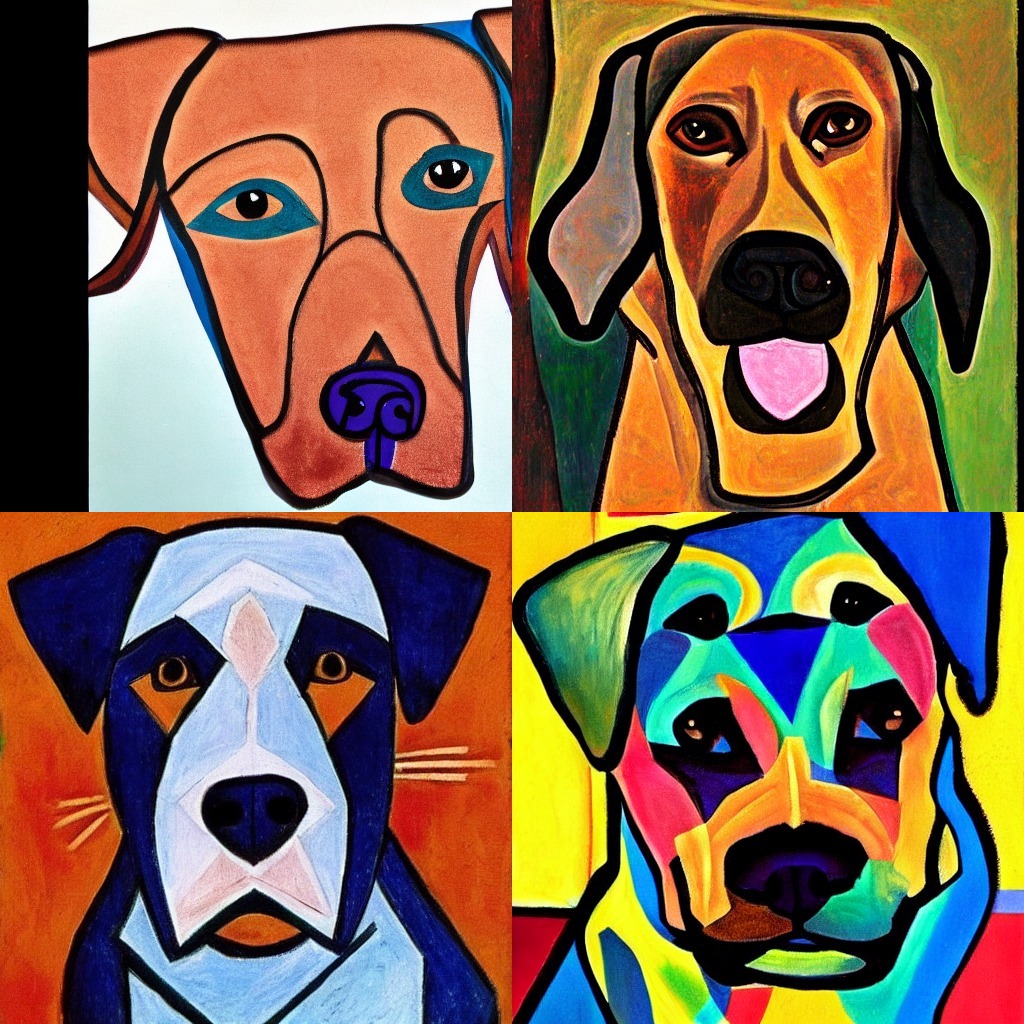
Generate the images and have a look:
|
|
|
|
```python
|
|
images = pipe(prompt, generator=generator, num_images_per_prompt=4).images
|
|
make_image_grid(images, rows=2, cols=2)
|
|
```
|
|
|
|
|
|
|
|
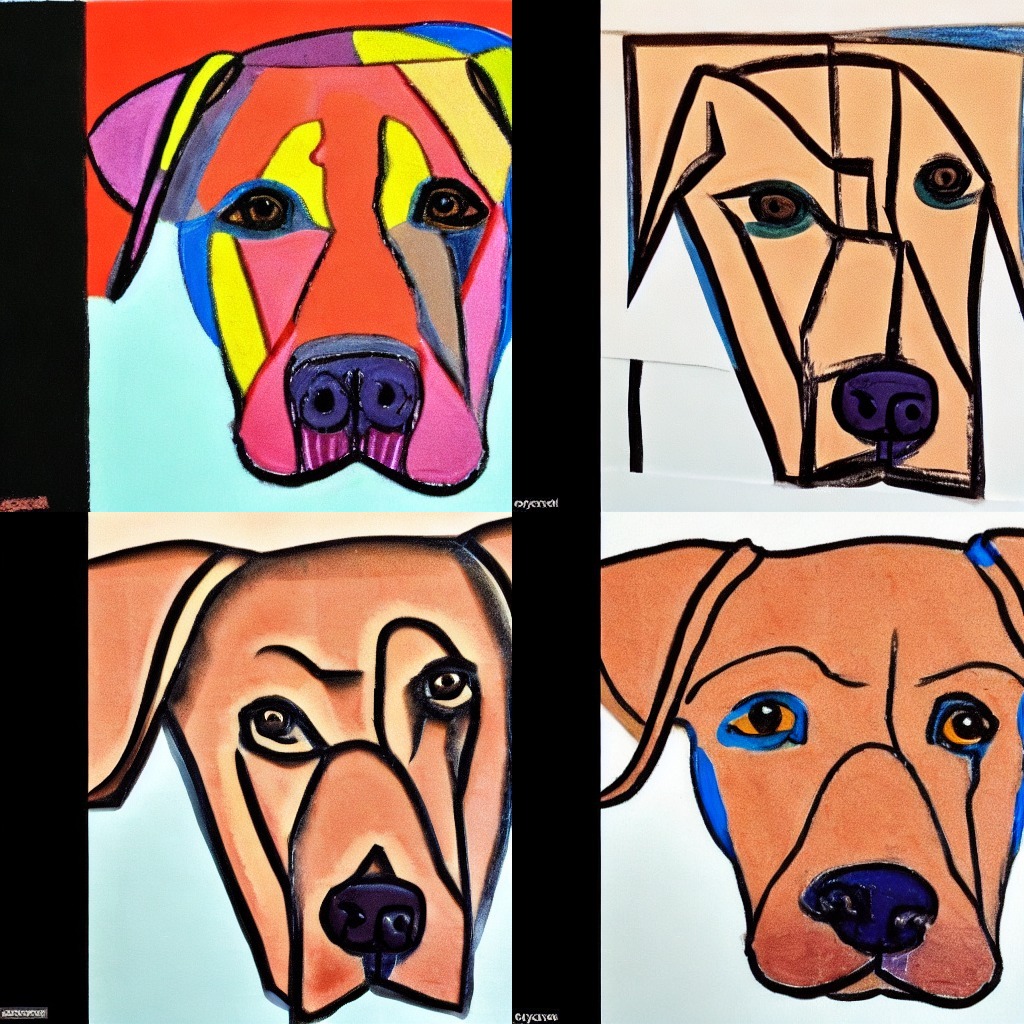
In this example, you'll improve upon the first image - but in reality, you can use any image you want (even the image with double sets of eyes!). The first image used the `Generator` with seed `0`, so you'll reuse that `Generator` for the second round of inference. To improve the quality of the image, add some additional text to the prompt:
|
|
|
|
```python
|
|
prompt = [prompt + t for t in [", highly realistic", ", artsy", ", trending", ", colorful"]]
|
|
generator = [torch.Generator(device="cuda").manual_seed(0) for i in range(4)]
|
|
```
|
|
|
|
Create four generators with seed `0`, and generate another batch of images, all of which should look like the first image from the previous round!
|
|
|
|
```python
|
|
images = pipe(prompt, generator=generator).images
|
|
make_image_grid(images, rows=2, cols=2)
|
|
```
|
|
|
|
|