 79eb3d07d0
* Controlnet training code initial commit

Works with circle dataset: https://github.com/lllyasviel/ControlNet/blob/main/docs/train.md

* Script for adding a controlnet to existing model

* Fix control image transform

Control image should be in 0..1 range.

* Add license header and remove more unused configs

* controlnet training readme

* Allow nonlocal model in add_controlnet.py

* Formatting

* Remove unused code

* Code quality

* Initialize controlnet in training script

* Formatting

* Address review comments

* doc style

* explicit constructor args and submodule names

* hub dataset

NOTE -  not tested

* empty prompts

* add conditioning image

* rename

* remove instance data dir

* image_transforms -> -1,1 . conditioning_image_transformers -> 0, 1

* nits

* remove local rank config

I think this isn't necessary in any of our training scripts

* validation images

* proportion_empty_prompts typo

* weight copying to controlnet bug

* call log validation fix

* fix

* gitignore wandb

* fix progress bar and resume from checkpoint iteration

* initial step fix

* log multiple images

* fix

* fixes

* tracker project name configurable

* misc

* add controlnet requirements.txt

* update docs

* image labels

* small fixes

* log validation using existing models for pipeline

* fix for deepspeed saving

* memory usage docs

* Update examples/controlnet/train_controlnet.py

Co-authored-by: Sayak Paul <spsayakpaul@gmail.com>

* Update examples/controlnet/train_controlnet.py

Co-authored-by: Sayak Paul <spsayakpaul@gmail.com>

* Update examples/controlnet/README.md

Co-authored-by: Sayak Paul <spsayakpaul@gmail.com>

* Update examples/controlnet/README.md

Co-authored-by: Sayak Paul <spsayakpaul@gmail.com>

* Update examples/controlnet/README.md

Co-authored-by: Sayak Paul <spsayakpaul@gmail.com>

* Update examples/controlnet/README.md

Co-authored-by: Sayak Paul <spsayakpaul@gmail.com>

* Update examples/controlnet/README.md

Co-authored-by: Sayak Paul <spsayakpaul@gmail.com>

* Update examples/controlnet/README.md

Co-authored-by: Sayak Paul <spsayakpaul@gmail.com>

* Update examples/controlnet/README.md

Co-authored-by: Sayak Paul <spsayakpaul@gmail.com>

* Update examples/controlnet/README.md

Co-authored-by: Sayak Paul <spsayakpaul@gmail.com>

* remove extra is main process check

* link to dataset in intro paragraph

* remove unnecessary paragraph

* note on deepspeed

* Update examples/controlnet/README.md

Co-authored-by: Patrick von Platen <patrick.v.platen@gmail.com>

* assert -> value error

* weights and biases note

* move images out of git

* remove .gitignore

---------

Co-authored-by: William Berman <WLBberman@gmail.com>
Co-authored-by: Sayak Paul <spsayakpaul@gmail.com>
Co-authored-by: Patrick von Platen <patrick.v.platen@gmail.com>
ControlNet training example
Adding Conditional Control to Text-to-Image Diffusion Models by Lvmin Zhang and Maneesh Agrawala.
This example is based on the training example in the original ControlNet repository. It trains a ControlNet to fill circles using a small synthetic dataset.
Installing the dependencies
Before running the scripts, make sure to install the library's training dependencies:
Important
To make sure you can successfully run the latest versions of the example scripts, we highly recommend installing from source and keeping the install up to date as we update the example scripts frequently and install some example-specific requirements. To do this, execute the following steps in a new virtual environment:
git clone https://github.com/huggingface/diffusers
cd diffusers
pip install -e .
Then cd in the example folder and run
pip install -r requirements.txt
And initialize an 🤗Accelerate environment with:
accelerate config
Or for a default accelerate configuration without answering questions about your environment
accelerate config default
Or if your environment doesn't support an interactive shell e.g. a notebook
from accelerate.utils import write_basic_config
write_basic_config()
Circle filling dataset
The original dataset is hosted in the ControlNet repo. We re-uploaded it to be compatible with datasets here. Note that datasets handles dataloading within the training script.
Our training examples use Stable Diffusion 1.5 as the original set of ControlNet models were trained from it. However, ControlNet can be trained to augment any Stable Diffusion compatible model (such as CompVis/stable-diffusion-v1-4) or stabilityai/stable-diffusion-2-1.
Training
Our training examples use two test conditioning images. They can be downloaded by running
wget https://huggingface.co/datasets/huggingface/documentation-images/resolve/main/diffusers/controlnet_training/conditioning_image_1.png

wget https://huggingface.co/datasets/huggingface/documentation-images/resolve/main/diffusers/controlnet_training/conditioning_image_2.png
export MODEL_DIR="runwayml/stable-diffusion-v1-5"
export OUTPUT_DIR="path to save model"

accelerate launch train_controlnet.py \
 --pretrained_model_name_or_path=$MODEL_DIR \
 --output_dir=$OUTPUT_DIR \
 --dataset_name=fusing/fill50k \
 --resolution=512 \
 --learning_rate=1e-5 \
 --validation_image "./conditioning_image_1.png" "./conditioning_image_2.png" \
 --validation_prompt "red circle with blue background" "cyan circle with brown floral background" \
 --train_batch_size=4
This default configuration requires ~38GB VRAM.
By default, the training script logs outputs to tensorboard. Pass --report_to wandb to use weights and
biases.
Gradient accumulation with a smaller batch size can be used to reduce training requirements to ~20 GB VRAM.
export MODEL_DIR="runwayml/stable-diffusion-v1-5"
export OUTPUT_DIR="path to save model"

accelerate launch train_controlnet.py \
 --pretrained_model_name_or_path=$MODEL_DIR \
 --output_dir=$OUTPUT_DIR \
 --dataset_name=fusing/fill50k \
 --resolution=512 \
 --learning_rate=1e-5 \
 --validation_image "./conditioning_image_1.png" "./conditioning_image_2.png" \
 --validation_prompt "red circle with blue background" "cyan circle with brown floral background" \
 --train_batch_size=1 \
 --gradient_accumulation_steps=4
Example results
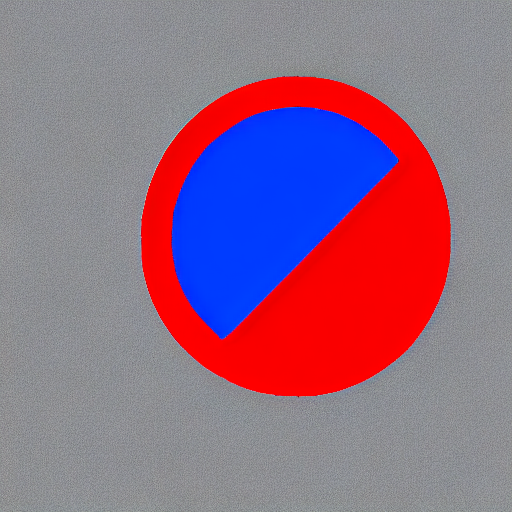
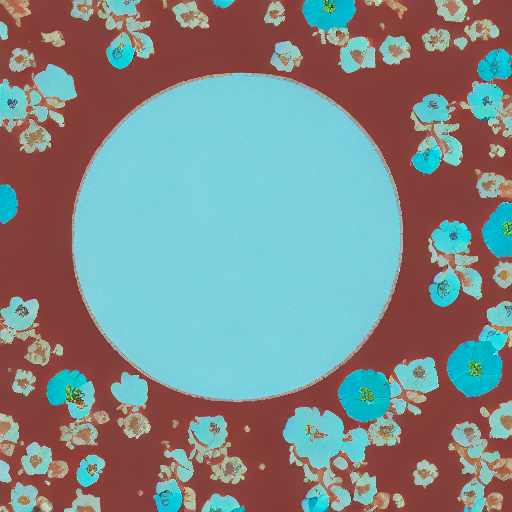
After 300 steps with batch size 8
| red circle with blue background | |
 |
 |
| cyan circle with brown floral background | |
 |
 |
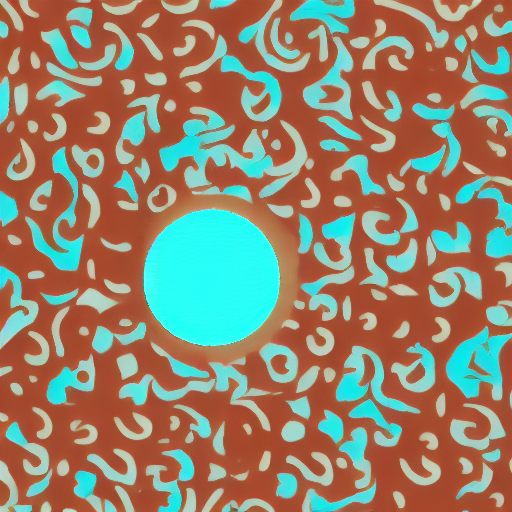
After 6000 steps with batch size 8:
| red circle with blue background | |
|
 |
| cyan circle with brown floral background | |
|
 |
Training on a 16 GB GPU
Optimizations:
- Gradient checkpointing
- bitsandbyte's 8-bit optimizer
bitandbytes install instructions.
export MODEL_DIR="runwayml/stable-diffusion-v1-5"
export OUTPUT_DIR="path to save model"

accelerate launch train_controlnet.py \
 --pretrained_model_name_or_path=$MODEL_DIR \
 --output_dir=$OUTPUT_DIR \
 --dataset_name=fusing/fill50k \
 --resolution=512 \
 --learning_rate=1e-5 \
 --validation_image "./conditioning_image_1.png" "./conditioning_image_2.png" \
 --validation_prompt "red circle with blue background" "cyan circle with brown floral background" \
 --train_batch_size=1 \
 --gradient_accumulation_steps=4 \
 --gradient_checkpointing \
 --use_8bit_adam
Training on a 12 GB GPU
Optimizations:
- Gradient checkpointing
- bitsandbyte's 8-bit optimizer
- xformers
- set grads to none
export MODEL_DIR="runwayml/stable-diffusion-v1-5"
export OUTPUT_DIR="path to save model"

accelerate launch train_controlnet.py \
 --pretrained_model_name_or_path=$MODEL_DIR \
 --output_dir=$OUTPUT_DIR \
 --dataset_name=fusing/fill50k \
 --resolution=512 \
 --learning_rate=1e-5 \
 --validation_image "./conditioning_image_1.png" "./conditioning_image_2.png" \
 --validation_prompt "red circle with blue background" "cyan circle with brown floral background" \
 --train_batch_size=1 \
 --gradient_accumulation_steps=4 \
 --gradient_checkpointing \
 --use_8bit_adam \
 --enable_xformers_memory_efficient_attention \
 --set_grads_to_none
When using enable_xformers_memory_efficient_attention, please make sure to install xformers by pip install xformers.
Training on an 8 GB GPU
We have not exhaustively tested DeepSpeed support for ControlNet. While the configuration does save memory, we have not confirmed the configuration to train successfully. You will very likely have to make changes to the config to have a successful training run.
Optimizations:
- Gradient checkpointing
- xformers
- set grads to none
- DeepSpeed stage 2 with parameter and optimizer offloading
- fp16 mixed precision
DeepSpeed can offload tensors from VRAM to either CPU or NVME. This requires significantly more RAM (about 25 GB).
Use accelerate config to enable DeepSpeed stage 2.
The relevant parts of the resulting accelerate config file are
compute_environment: LOCAL_MACHINE
deepspeed_config:
  gradient_accumulation_steps: 4
  offload_optimizer_device: cpu
  offload_param_device: cpu
  zero3_init_flag: false
  zero_stage: 2
distributed_type: DEEPSPEED
See documentation for more DeepSpeed configuration options.
Changing the default Adam optimizer to DeepSpeed's Adam
deepspeed.ops.adam.DeepSpeedCPUAdam gives a substantial speedup but
it requires CUDA toolchain with the same version as pytorch. 8-bit optimizer
does not seem to be compatible with DeepSpeed at the moment.
export MODEL_DIR="runwayml/stable-diffusion-v1-5"
export OUTPUT_DIR="path to save model"

accelerate launch train_controlnet.py \
 --pretrained_model_name_or_path=$MODEL_DIR \
 --output_dir=$OUTPUT_DIR \
 --dataset_name=fusing/fill50k \
 --resolution=512 \
 --validation_image "./conditioning_image_1.png" "./conditioning_image_2.png" \
 --validation_prompt "red circle with blue background" "cyan circle with brown floral background" \
 --train_batch_size=1 \
 --gradient_accumulation_steps=4 \
 --gradient_checkpointing \
 --enable_xformers_memory_efficient_attention \
 --set_grads_to_none \
 --mixed_precision fp16
Performing inference with the trained ControlNet
The trained model can be run the same as the original ControlNet pipeline with the newly trained ControlNet.
Set base_model_path and controlnet_path to the values --pretrained_model_name_or_path and
--output_dir were respectively set to in the training script.
from diffusers import StableDiffusionControlNetPipeline, ControlNetModel, UniPCMultistepScheduler
from diffusers.utils import load_image
import torch

base_model_path = "path to model"
controlnet_path = "path to controlnet"

controlnet = ControlNetModel.from_pretrained(controlnet_path, torch_dtype=torch.float16)
pipe = StableDiffusionControlNetPipeline.from_pretrained(
    base_model_path, controlnet=controlnet, torch_dtype=torch.float16
)

# speed up diffusion process with faster scheduler and memory optimization
pipe.scheduler = UniPCMultistepScheduler.from_config(pipe.scheduler.config)
# remove following line if xformers is not installed
pipe.enable_xformers_memory_efficient_attention()

pipe.enable_model_cpu_offload()

control_image = load_image("./conditioning_image_1.png")
prompt = "pale golden rod circle with old lace background"

# generate image
generator = torch.manual_seed(0)
image = pipe(
     prompt, num_inference_steps=20, generator=generator, image=control_image
).images[0]

image.save("./output.png")