# IP-Adapter
[IP-Adapter](https://hf.co/papers/2308.06721) is an image prompt adapter that can be plugged into diffusion models to enable image prompting without any changes to the underlying model. Furthermore, this adapter can be reused with other models finetuned from the same base model and it can be combined with other adapters like [ControlNet](../using-diffusers/controlnet). The key idea behind IP-Adapter is the *decoupled cross-attention* mechanism which adds a separate cross-attention layer just for image features instead of using the same cross-attention layer for both text and image features. This allows the model to learn more image-specific features.
> [!TIP]
> Learn how to load an IP-Adapter in the [Load adapters](../using-diffusers/loading_adapters#ip-adapter) guide, and make sure you check out the [IP-Adapter Plus](../using-diffusers/loading_adapters#ip-adapter-plus) section which requires manually loading the image encoder.
This guide will walk you through using IP-Adapter for various tasks and use cases.
## General tasks
Let's take a look at how to use IP-Adapter's image prompting capabilities with the [`StableDiffusionXLPipeline`] for tasks like text-to-image, image-to-image, and inpainting. We also encourage you to try out other pipelines such as Stable Diffusion, LCM-LoRA, ControlNet, T2I-Adapter, or AnimateDiff!
In all the following examples, you'll see the [`~loaders.IPAdapterMixin.set_ip_adapter_scale`] method. This method controls the amount of text or image conditioning to apply to the model. A value of `1.0` means the model is only conditioned on the image prompt. Lowering this value encourages the model to produce more diverse images, but they may not be as aligned with the image prompt. Typically, a value of `0.5` achieves a good balance between the two prompt types and produces good results.
Crafting the precise text prompt to generate the image you want can be difficult because it may not always capture what you'd like to express. Adding an image alongside the text prompt helps the model better understand what it should generate and can lead to more accurate results.
Load a Stable Diffusion XL (SDXL) model and insert an IP-Adapter into the model with the [`~loaders.IPAdapterMixin.load_ip_adapter`] method. Use the `subfolder` parameter to load the SDXL model weights.
```py
from diffusers import AutoPipelineForText2Image
from diffusers.utils import load_image
import torch
pipeline = AutoPipelineForText2Image.from_pretrained("stabilityai/stable-diffusion-xl-base-1.0", torch_dtype=torch.float16).to("cuda")
pipeline.load_ip_adapter("h94/IP-Adapter", subfolder="sdxl_models", weight_name="ip-adapter_sdxl.bin")
pipeline.set_ip_adapter_scale(0.6)
```
Create a text prompt and load an image prompt before passing them to the pipeline to generate an image.
```py
image = load_image("https://huggingface.co/datasets/huggingface/documentation-images/resolve/main/diffusers/ip_adapter_diner.png")
generator = torch.Generator(device="cpu").manual_seed(0)
images = pipeline(
prompt="a polar bear sitting in a chair drinking a milkshake",
ip_adapter_image=image,
negative_prompt="deformed, ugly, wrong proportion, low res, bad anatomy, worst quality, low quality",
num_inference_steps=100,
generator=generator,
).images
images[0]
```
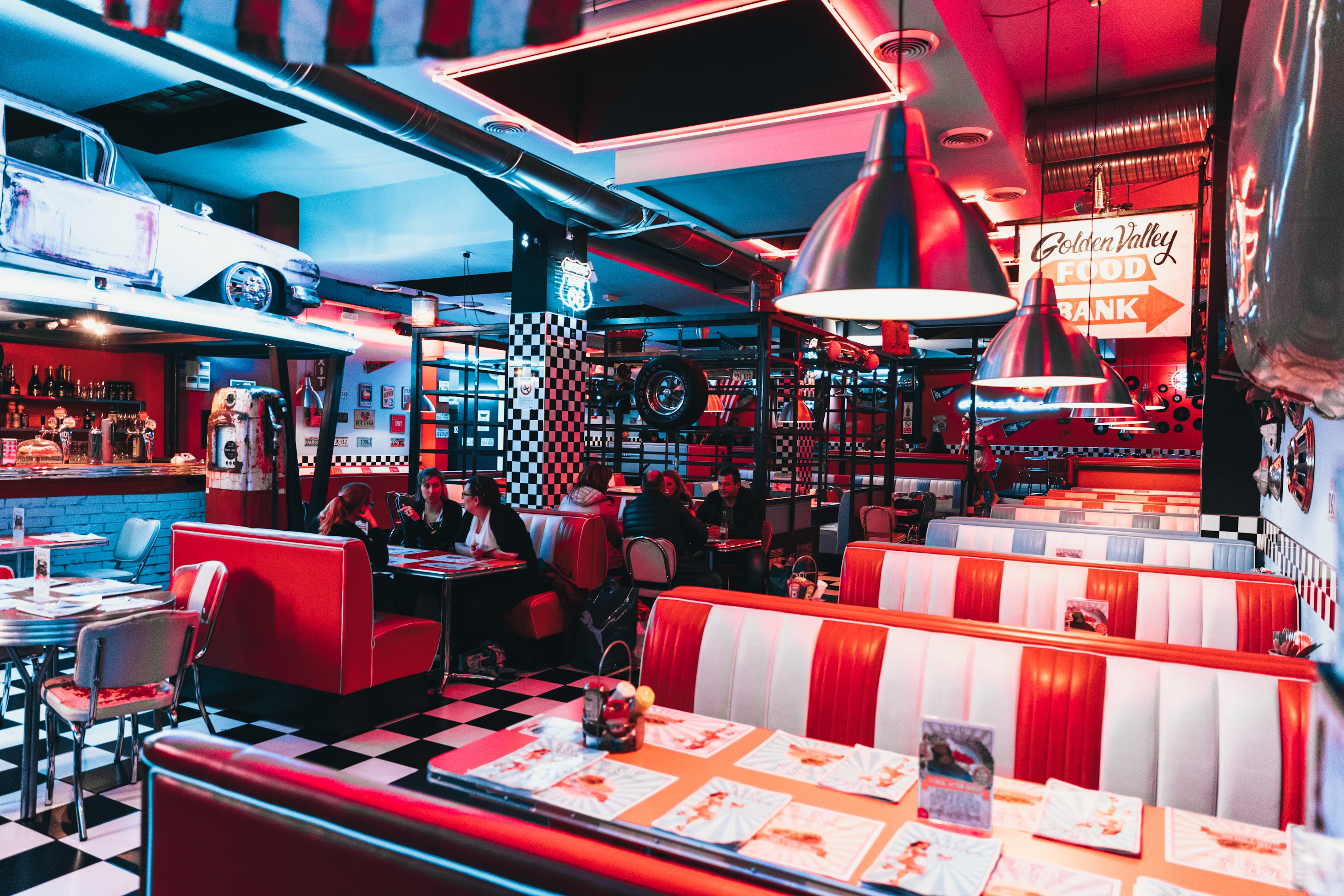 IP-Adapter image
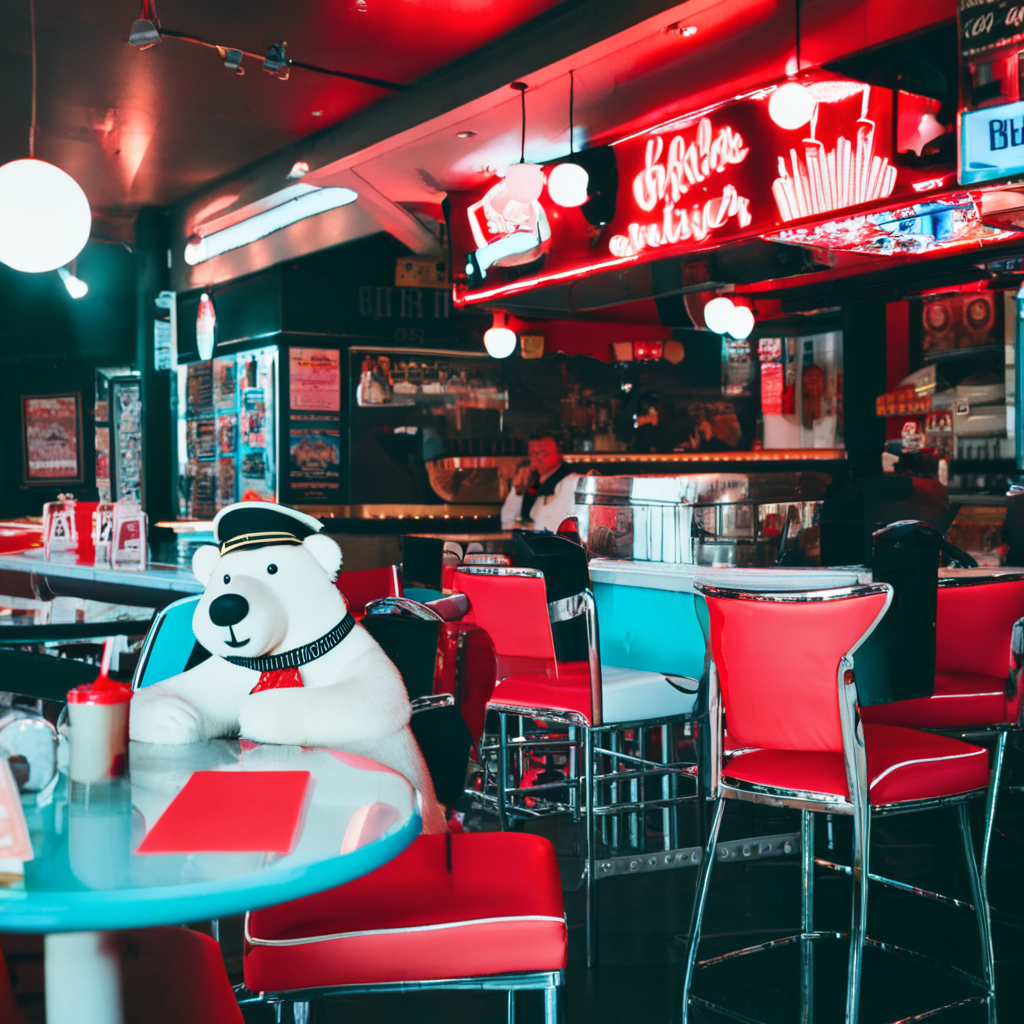 generated image
IP-Adapter can also help with image-to-image by guiding the model to generate an image that resembles the original image and the image prompt.
Load a Stable Diffusion XL (SDXL) model and insert an IP-Adapter into the model with the [`~loaders.IPAdapterMixin.load_ip_adapter`] method. Use the `subfolder` parameter to load the SDXL model weights.
```py
from diffusers import AutoPipelineForImage2Image
from diffusers.utils import load_image
import torch
pipeline = AutoPipelineForImage2Image.from_pretrained("stabilityai/stable-diffusion-xl-base-1.0", torch_dtype=torch.float16).to("cuda")
pipeline.load_ip_adapter("h94/IP-Adapter", subfolder="sdxl_models", weight_name="ip-adapter_sdxl.bin")
pipeline.set_ip_adapter_scale(0.6)
```
Pass the original image and the IP-Adapter image prompt to the pipeline to generate an image. Providing a text prompt to the pipeline is optional, but in this example, a text prompt is used to increase image quality.
```py
image = load_image("https://huggingface.co/datasets/huggingface/documentation-images/resolve/main/diffusers/ip_adapter_bear_1.png")
ip_image = load_image("https://huggingface.co/datasets/huggingface/documentation-images/resolve/main/diffusers/ip_adapter_bear_2.png")
generator = torch.Generator(device="cpu").manual_seed(4)
images = pipeline(
prompt="best quality, high quality",
image=image,
ip_adapter_image=ip_image,
generator=generator,
strength=0.6,
).images
images[0]
```
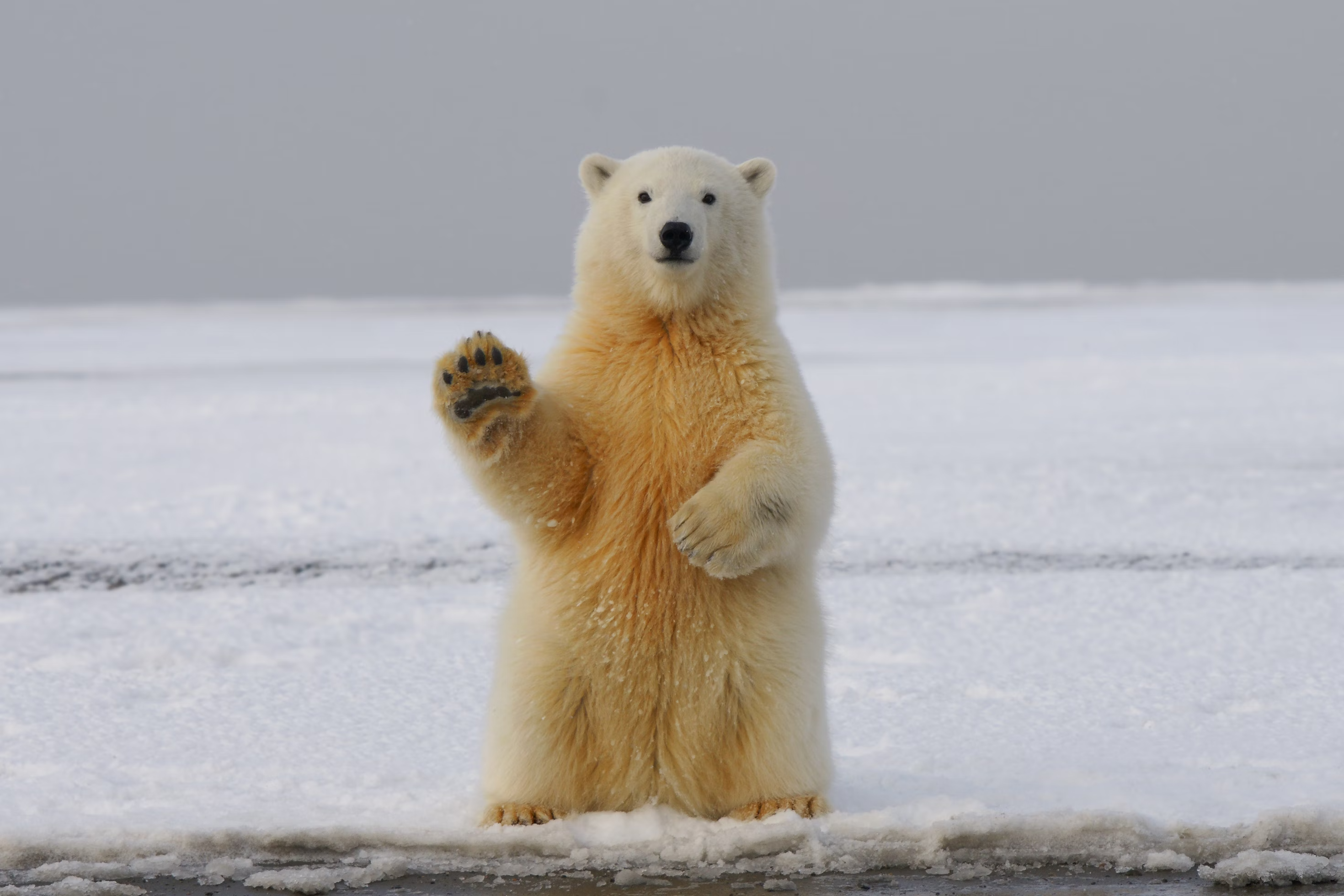 original image
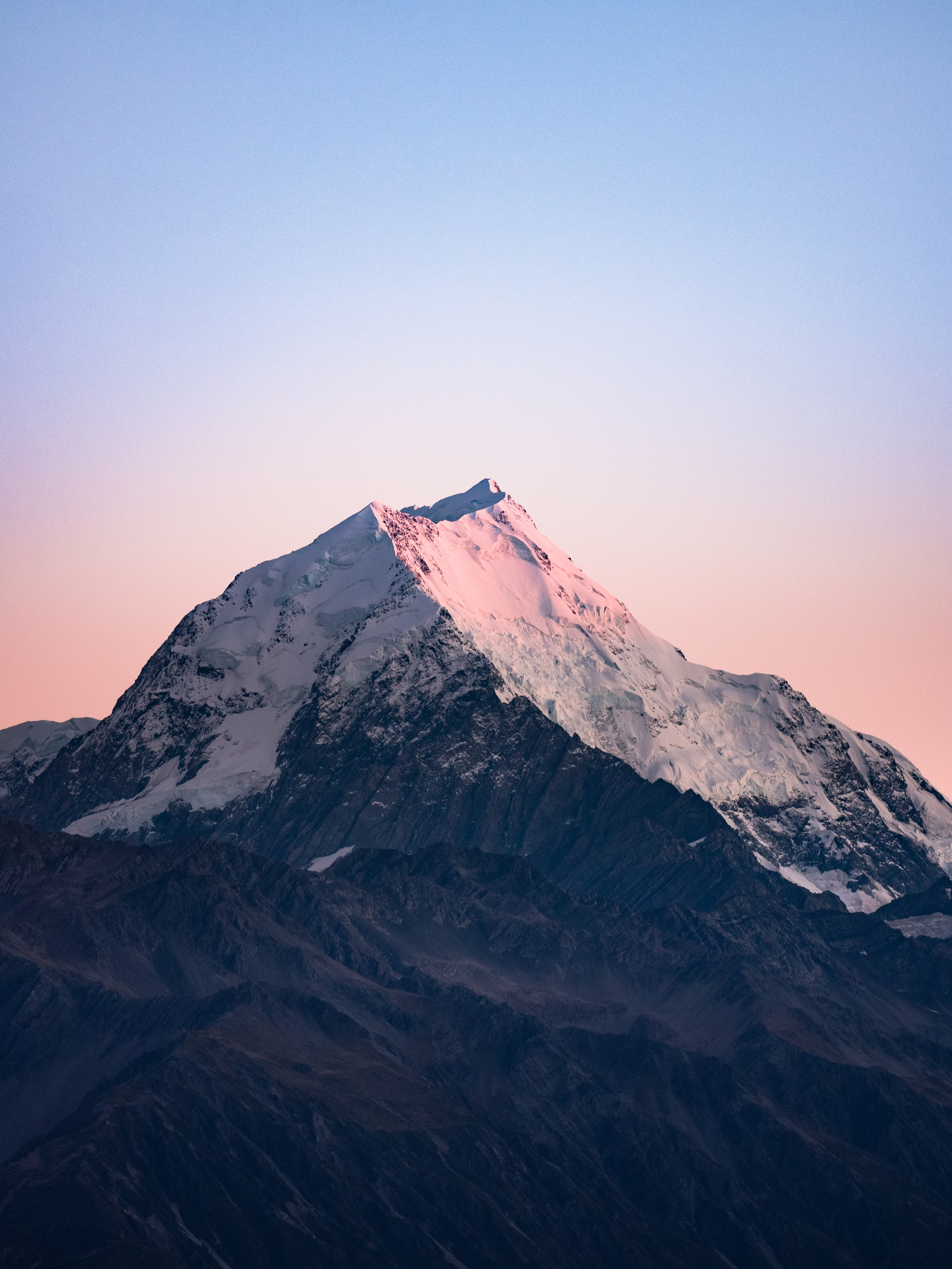 IP-Adapter image
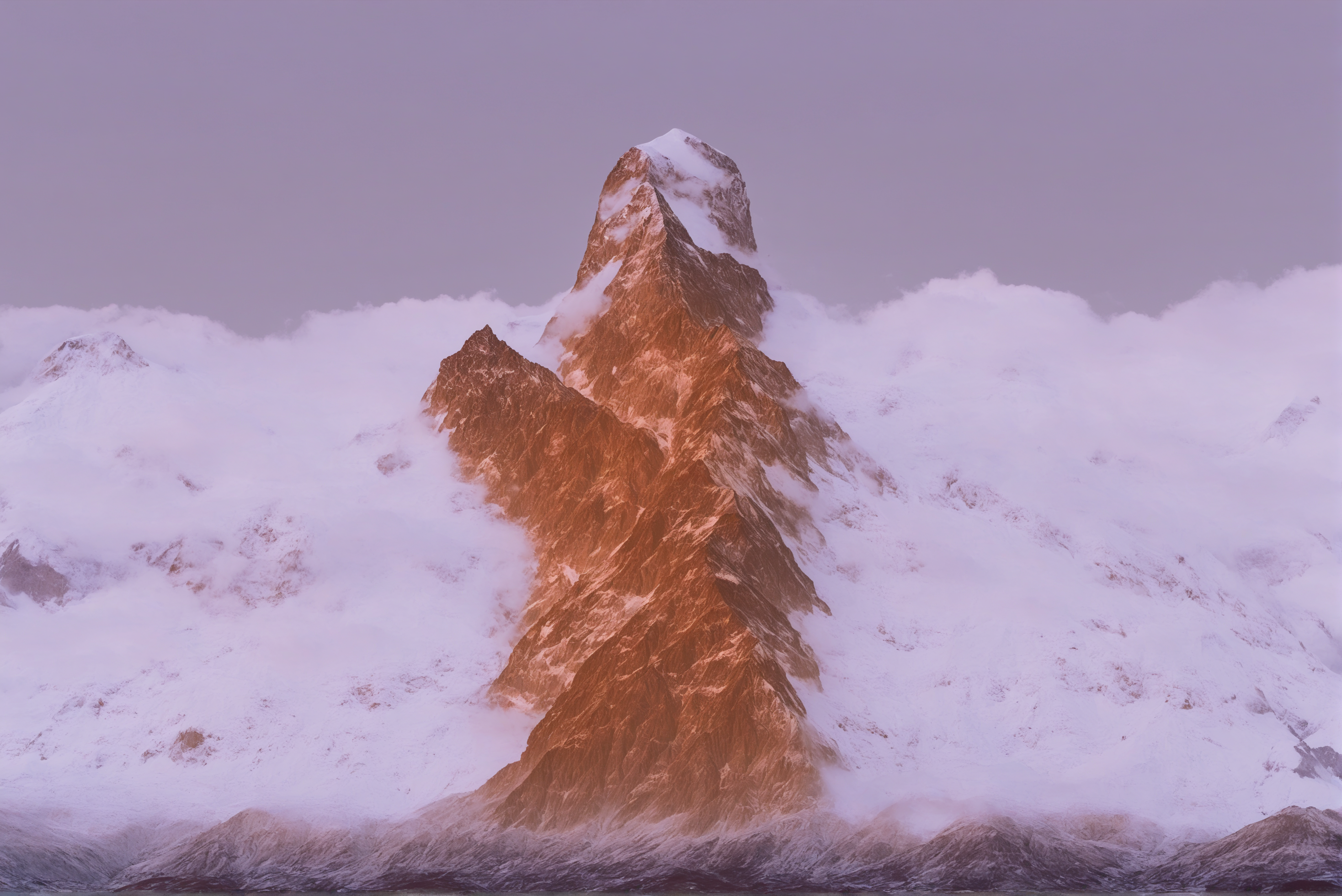 generated image
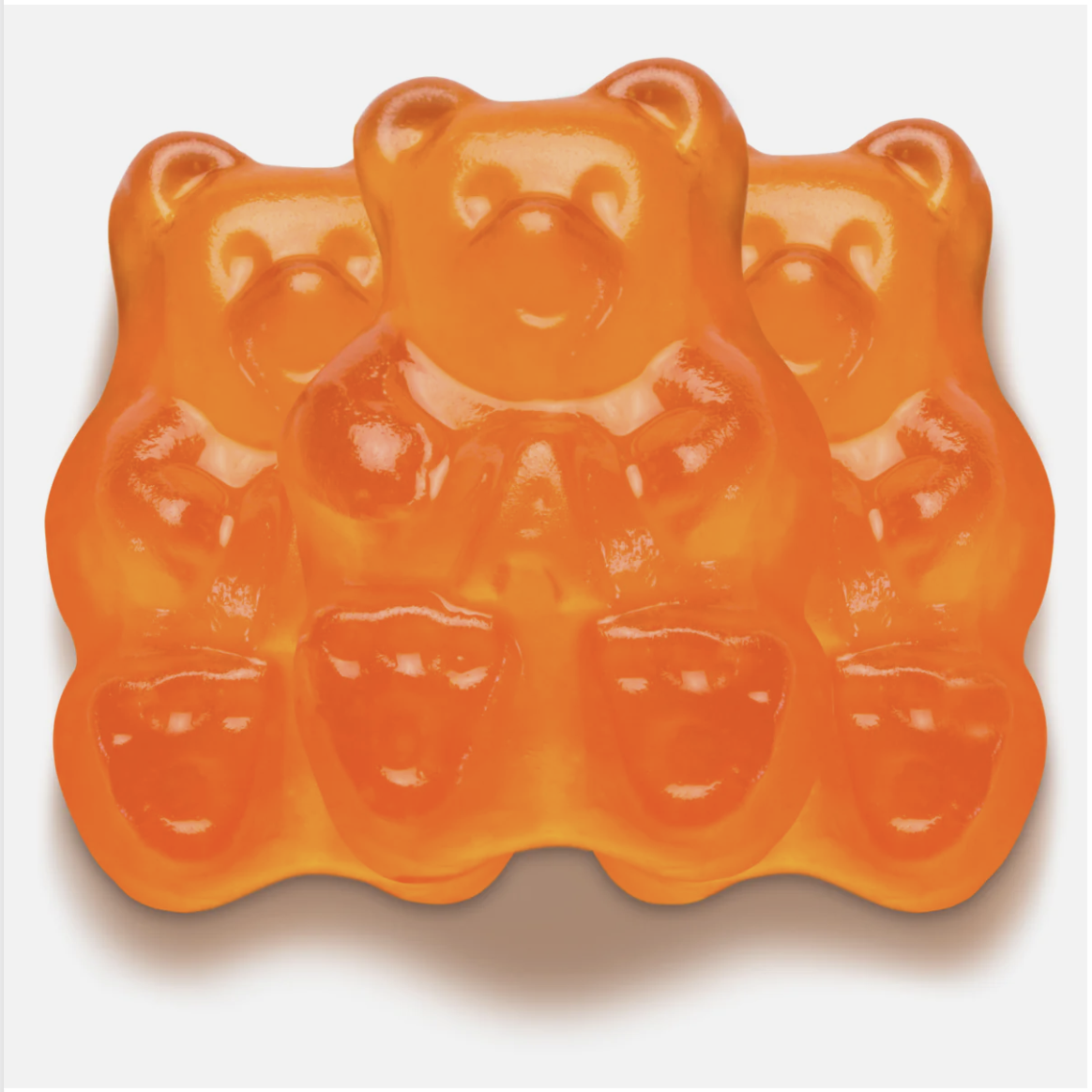
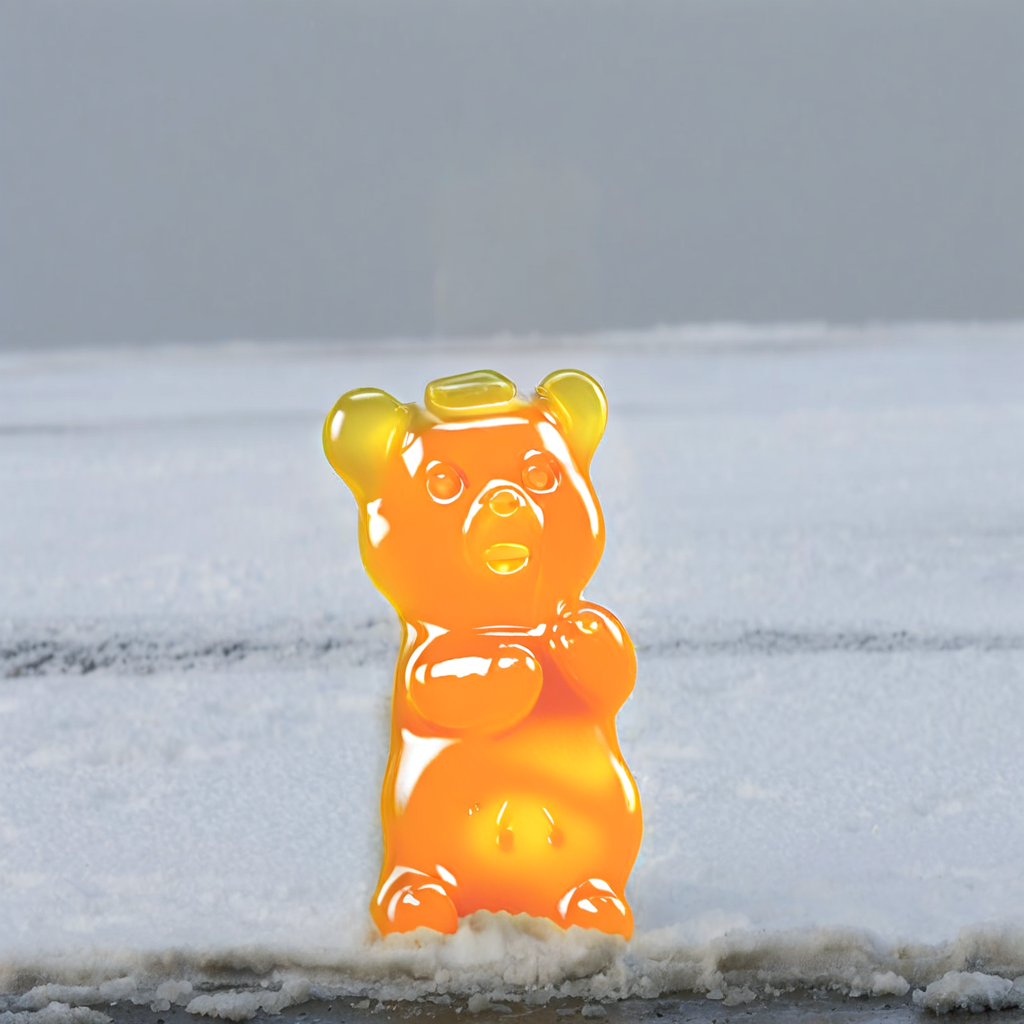
IP-Adapter is also useful for inpainting because the image prompt allows you to be much more specific about what you'd like to generate.
Load a Stable Diffusion XL (SDXL) model and insert an IP-Adapter into the model with the [`~loaders.IPAdapterMixin.load_ip_adapter`] method. Use the `subfolder` parameter to load the SDXL model weights.
```py
from diffusers import AutoPipelineForInpainting
from diffusers.utils import load_image
import torch
pipeline = AutoPipelineForInpainting.from_pretrained("diffusers/stable-diffusion-xl-1.0-inpainting-0.1", torch_dtype=torch.float16).to("cuda")
pipeline.load_ip_adapter("h94/IP-Adapter", subfolder="sdxl_models", weight_name="ip-adapter_sdxl.bin")
pipeline.set_ip_adapter_scale(0.6)
```
Pass a prompt, the original image, mask image, and the IP-Adapter image prompt to the pipeline to generate an image.
```py
mask_image = load_image("https://huggingface.co/datasets/huggingface/documentation-images/resolve/main/diffusers/ip_adapter_mask.png")
image = load_image("https://huggingface.co/datasets/huggingface/documentation-images/resolve/main/diffusers/ip_adapter_bear_1.png")
ip_image = load_image("https://huggingface.co/datasets/huggingface/documentation-images/resolve/main/diffusers/ip_adapter_gummy.png")
generator = torch.Generator(device="cpu").manual_seed(4)
images = pipeline(
prompt="a cute gummy bear waving",
image=image,
mask_image=mask_image,
ip_adapter_image=ip_image,
generator=generator,
num_inference_steps=100,
).images
images[0]
```
original image
 IP-Adapter image
 generated image
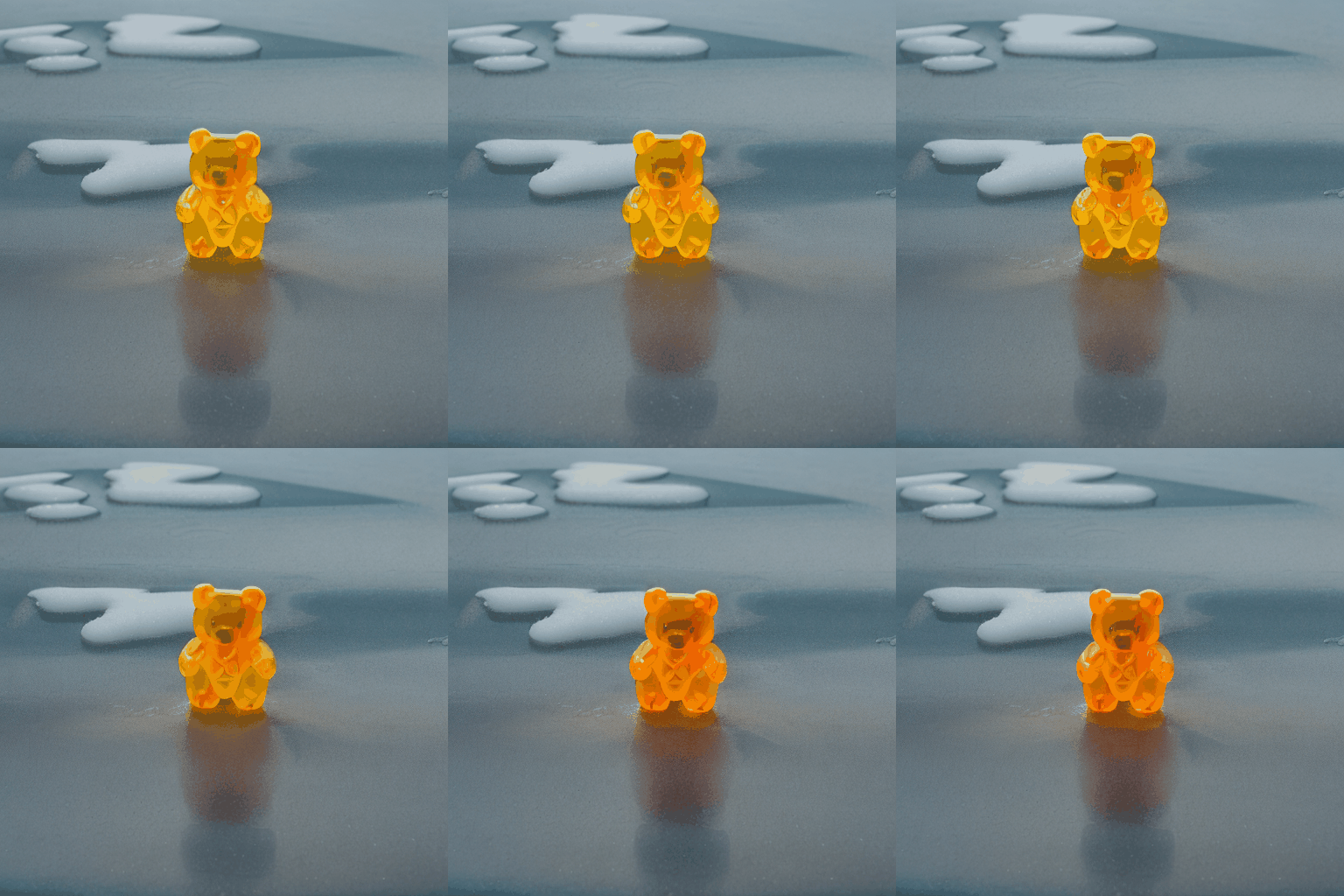
IP-Adapter can also help you generate videos that are more aligned with your text prompt. For example, let's load [AnimateDiff](../api/pipelines/animatediff) with its motion adapter and insert an IP-Adapter into the model with the [`~loaders.IPAdapterMixin.load_ip_adapter`] method.
> [!WARNING]
> If you're planning on offloading the model to the CPU, make sure you run it after you've loaded the IP-Adapter. When you call [`~DiffusionPipeline.enable_model_cpu_offload`] before loading the IP-Adapter, it offloads the image encoder module to the CPU and it'll return an error when you try to run the pipeline.
```py
import torch
from diffusers import AnimateDiffPipeline, DDIMScheduler, MotionAdapter
from diffusers.utils import export_to_gif
from diffusers.utils import load_image
adapter = MotionAdapter.from_pretrained("guoyww/animatediff-motion-adapter-v1-5-2", torch_dtype=torch.float16)
pipeline = AnimateDiffPipeline.from_pretrained("emilianJR/epiCRealism", motion_adapter=adapter, torch_dtype=torch.float16)
scheduler = DDIMScheduler.from_pretrained(
"emilianJR/epiCRealism",
subfolder="scheduler",
clip_sample=False,
timestep_spacing="linspace",
beta_schedule="linear",
steps_offset=1,
)
pipeline.scheduler = scheduler
pipeline.enable_vae_slicing()
pipeline.load_ip_adapter("h94/IP-Adapter", subfolder="models", weight_name="ip-adapter_sd15.bin")
pipeline.enable_model_cpu_offload()
```
Pass a prompt and an image prompt to the pipeline to generate a short video.
```py
ip_adapter_image = load_image("https://huggingface.co/datasets/huggingface/documentation-images/resolve/main/diffusers/ip_adapter_inpaint.png")
output = pipeline(
prompt="A cute gummy bear waving",
negative_prompt="bad quality, worse quality, low resolution",
ip_adapter_image=ip_adapter_image,
num_frames=16,
guidance_scale=7.5,
num_inference_steps=50,
generator=torch.Generator(device="cpu").manual_seed(0),
)
frames = output.frames[0]
export_to_gif(frames, "gummy_bear.gif")
```
IP-Adapter image
 generated video
> [!TIP]
> While calling `load_ip_adapter()`, pass `low_cpu_mem_usage=True` to speed up the loading time.
All the pipelines supporting IP-Adapter accept a `ip_adapter_image_embeds` argument. If you need to run the IP-Adapter multiple times with the same image, you can encode the image once and save the embedding to the disk.
```py
image_embeds = pipeline.prepare_ip_adapter_image_embeds(
ip_adapter_image=image,
ip_adapter_image_embeds=None,
device="cuda",
num_images_per_prompt=1,
do_classifier_free_guidance=True,
)
torch.save(image_embeds, "image_embeds.ipadpt")
```
Load the image embedding and pass it to the pipeline as `ip_adapter_image_embeds`
> [!TIP]
> ComfyUI image embeddings for IP-Adapters are fully compatible in Diffusers and should work out-of-box.
```py
image_embeds = torch.load("image_embeds.ipadpt")
images = pipeline(
prompt="a polar bear sitting in a chair drinking a milkshake",
ip_adapter_image_embeds=image_embeds,
negative_prompt="deformed, ugly, wrong proportion, low res, bad anatomy, worst quality, low quality",
num_inference_steps=100,
generator=generator,
).images
```
> [!TIP]
> If you use IP-Adapter with `ip_adapter_image_embedding` instead of `ip_adapter_image`, you can choose not to load an image encoder by passing `image_encoder_folder=None` to `load_ip_adapter()`.
## Specific use cases
IP-Adapter's image prompting and compatibility with other adapters and models makes it a versatile tool for a variety of use cases. This section covers some of the more popular applications of IP-Adapter, and we can't wait to see what you come up with!
### Face model
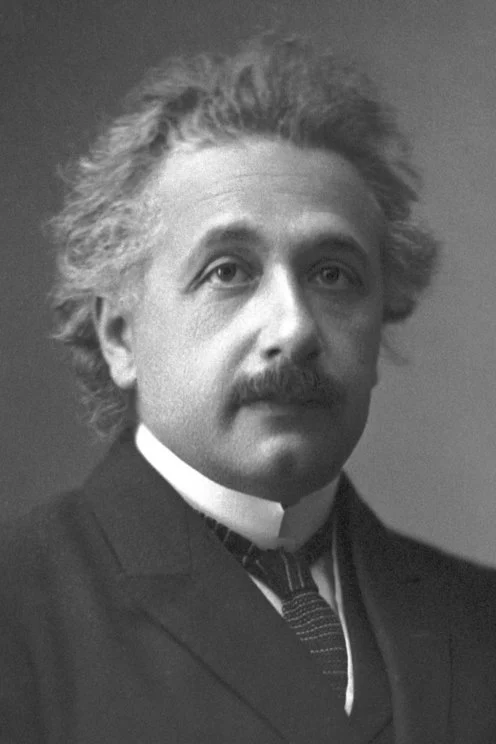
Generating accurate faces is challenging because they are complex and nuanced. Diffusers supports two IP-Adapter checkpoints specifically trained to generate faces:
* [ip-adapter-full-face_sd15.safetensors](https://huggingface.co/h94/IP-Adapter/blob/main/models/ip-adapter-full-face_sd15.safetensors) is conditioned with images of cropped faces and removed backgrounds
* [ip-adapter-plus-face_sd15.safetensors](https://huggingface.co/h94/IP-Adapter/blob/main/models/ip-adapter-plus-face_sd15.safetensors) uses patch embeddings and is conditioned with images of cropped faces
> [!TIP]
> [IP-Adapter-FaceID](https://huggingface.co/h94/IP-Adapter-FaceID) is a face-specific IP-Adapter trained with face ID embeddings instead of CLIP image embeddings, allowing you to generate more consistent faces in different contexts and styles. Try out this popular [community pipeline](https://github.com/huggingface/diffusers/tree/main/examples/community#ip-adapter-face-id) and see how it compares to the other face IP-Adapters.
For face models, use the [h94/IP-Adapter](https://huggingface.co/h94/IP-Adapter) checkpoint. It is also recommended to use [`DDIMScheduler`] or [`EulerDiscreteScheduler`] for face models.
```py
import torch
from diffusers import StableDiffusionPipeline, DDIMScheduler
from diffusers.utils import load_image
pipeline = StableDiffusionPipeline.from_pretrained(
"runwayml/stable-diffusion-v1-5",
torch_dtype=torch.float16,
).to("cuda")
pipeline.scheduler = DDIMScheduler.from_config(pipeline.scheduler.config)
pipeline.load_ip_adapter("h94/IP-Adapter", subfolder="models", weight_name="ip-adapter-full-face_sd15.bin")
pipeline.set_ip_adapter_scale(0.5)
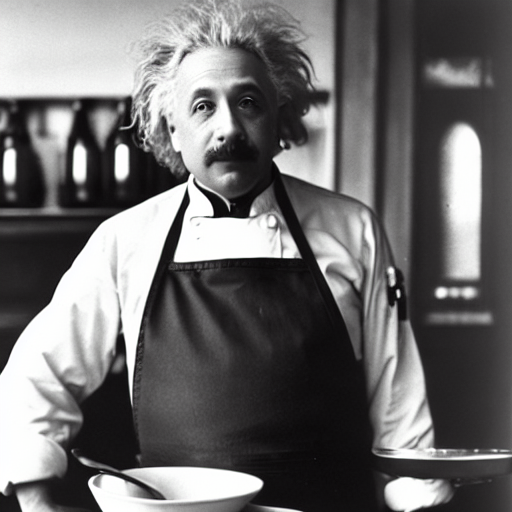
image = load_image("https://huggingface.co/datasets/huggingface/documentation-images/resolve/main/diffusers/ip_adapter_einstein_base.png")
generator = torch.Generator(device="cpu").manual_seed(26)
image = pipeline(
prompt="A photo of Einstein as a chef, wearing an apron, cooking in a French restaurant",
ip_adapter_image=image,
negative_prompt="lowres, bad anatomy, worst quality, low quality",
num_inference_steps=100,
generator=generator,
).images[0]
image
```
 IP-Adapter image
 generated image
### Multi IP-Adapter
More than one IP-Adapter can be used at the same time to generate specific images in more diverse styles. For example, you can use IP-Adapter-Face to generate consistent faces and characters, and IP-Adapter Plus to generate those faces in a specific style.
> [!TIP]
> Read the [IP-Adapter Plus](../using-diffusers/loading_adapters#ip-adapter-plus) section to learn why you need to manually load the image encoder.
Load the image encoder with [`~transformers.CLIPVisionModelWithProjection`].
```py
import torch
from diffusers import AutoPipelineForText2Image, DDIMScheduler
from transformers import CLIPVisionModelWithProjection
from diffusers.utils import load_image
image_encoder = CLIPVisionModelWithProjection.from_pretrained(
"h94/IP-Adapter",
subfolder="models/image_encoder",
torch_dtype=torch.float16,
)
```
Next, you'll load a base model, scheduler, and the IP-Adapters. The IP-Adapters to use are passed as a list to the `weight_name` parameter:
* [ip-adapter-plus_sdxl_vit-h](https://huggingface.co/h94/IP-Adapter#ip-adapter-for-sdxl-10) uses patch embeddings and a ViT-H image encoder
* [ip-adapter-plus-face_sdxl_vit-h](https://huggingface.co/h94/IP-Adapter#ip-adapter-for-sdxl-10) has the same architecture but it is conditioned with images of cropped faces
```py
pipeline = AutoPipelineForText2Image.from_pretrained(
"stabilityai/stable-diffusion-xl-base-1.0",
torch_dtype=torch.float16,
image_encoder=image_encoder,
)
pipeline.scheduler = DDIMScheduler.from_config(pipeline.scheduler.config)
pipeline.load_ip_adapter(
"h94/IP-Adapter",
subfolder="sdxl_models",
weight_name=["ip-adapter-plus_sdxl_vit-h.safetensors", "ip-adapter-plus-face_sdxl_vit-h.safetensors"]
)
pipeline.set_ip_adapter_scale([0.7, 0.3])
pipeline.enable_model_cpu_offload()
```
Load an image prompt and a folder containing images of a certain style you want to use.
```py
face_image = load_image("https://huggingface.co/datasets/YiYiXu/testing-images/resolve/main/women_input.png")
style_folder = "https://huggingface.co/datasets/YiYiXu/testing-images/resolve/main/style_ziggy"
style_images = [load_image(f"{style_folder}/img{i}.png") for i in range(10)]
```
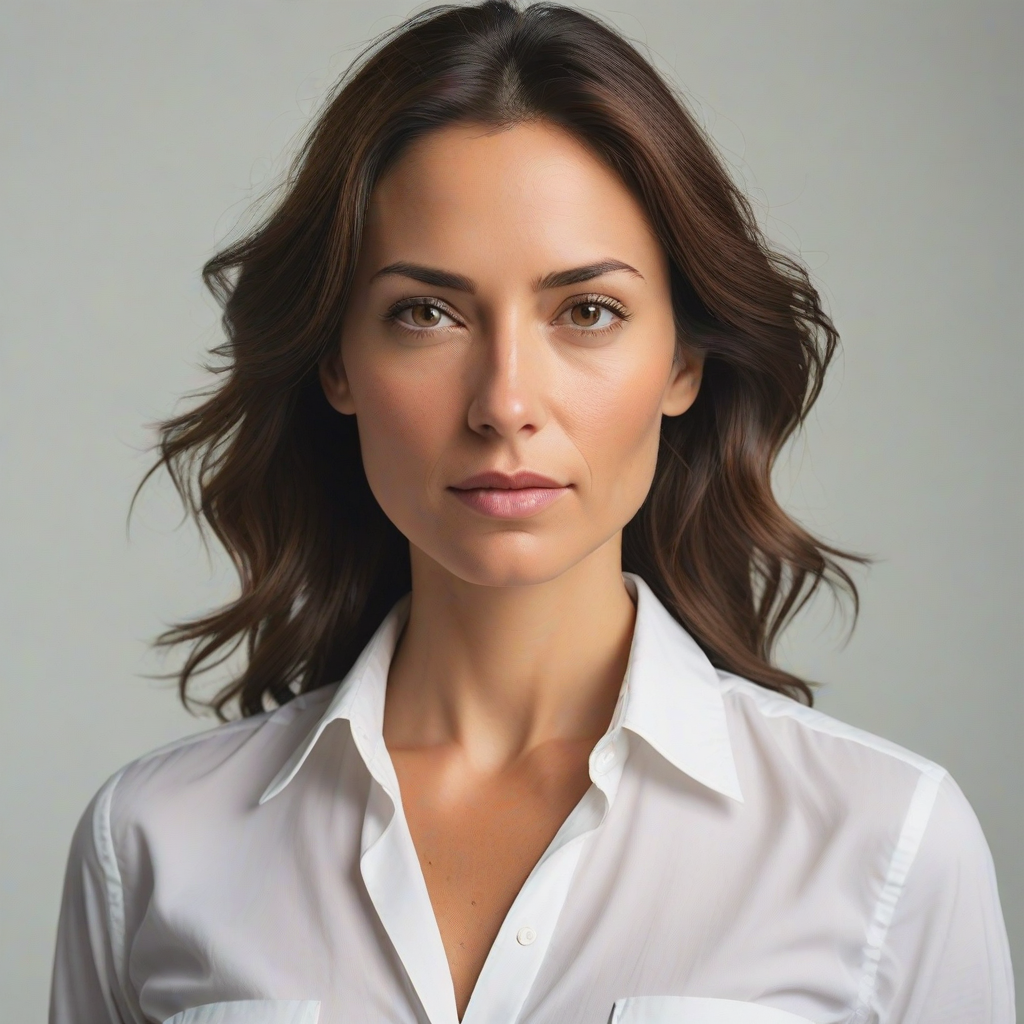 IP-Adapter image of face
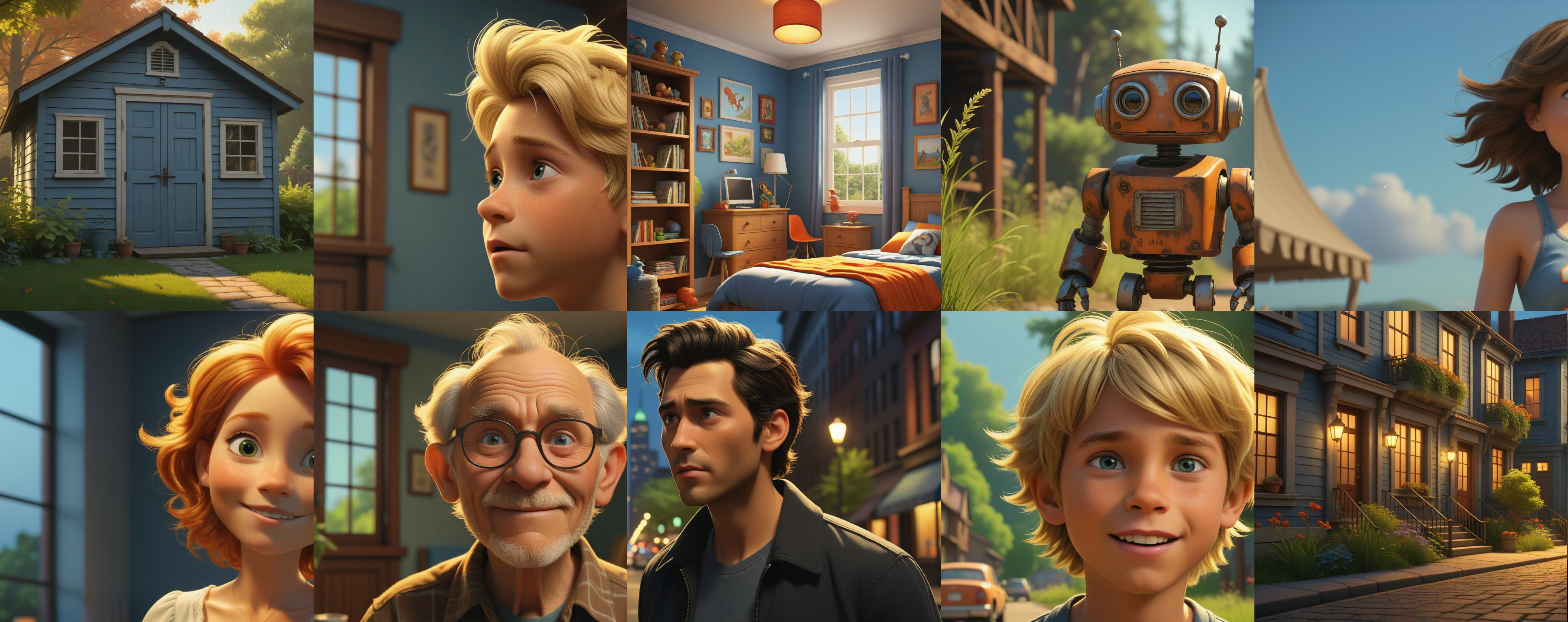 IP-Adapter style images
Pass the image prompt and style images as a list to the `ip_adapter_image` parameter, and run the pipeline!
```py
generator = torch.Generator(device="cpu").manual_seed(0)
image = pipeline(
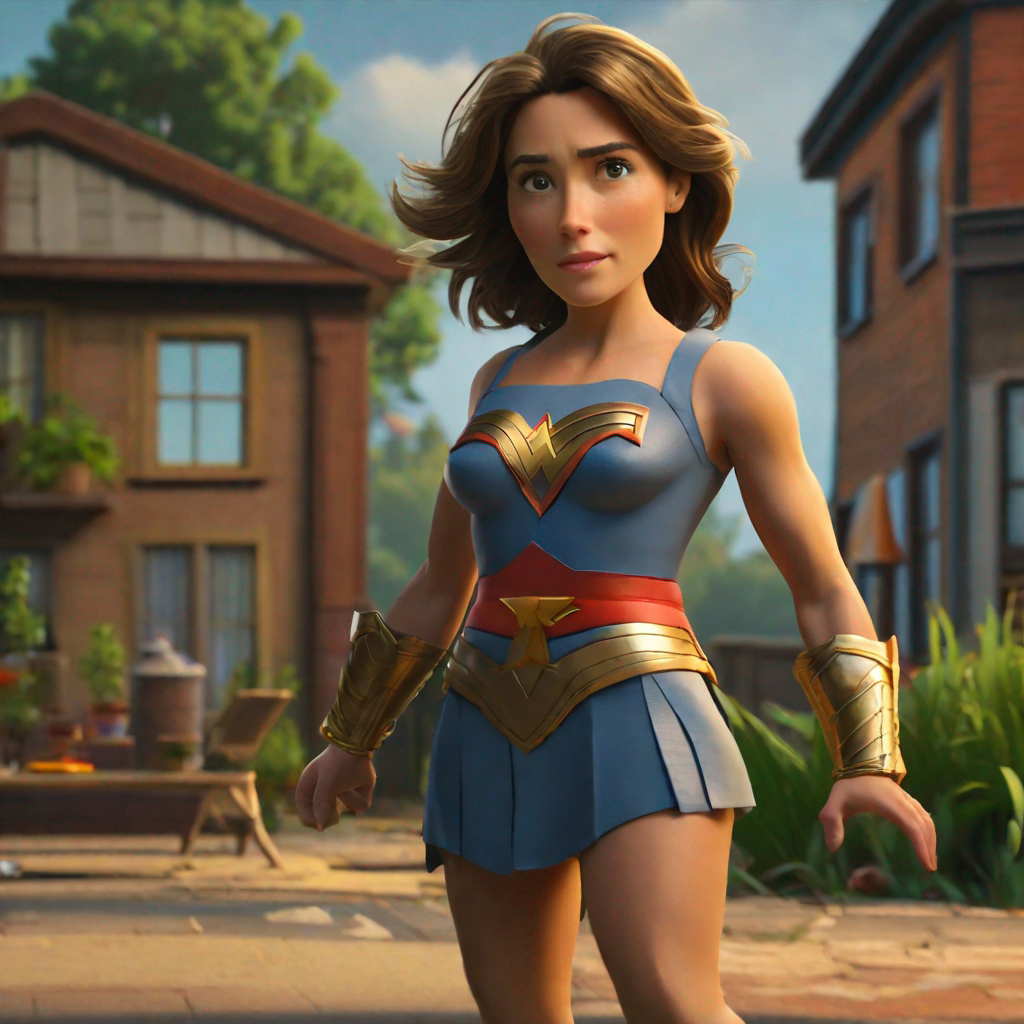
prompt="wonderwoman",
ip_adapter_image=[style_images, face_image],
negative_prompt="monochrome, lowres, bad anatomy, worst quality, low quality",
num_inference_steps=50, num_images_per_prompt=1,
generator=generator,
).images[0]
image
```
### Instant generation
[Latent Consistency Models (LCM)](../using-diffusers/inference_with_lcm_lora) are diffusion models that can generate images in as little as 4 steps compared to other diffusion models like SDXL that typically require way more steps. This is why image generation with an LCM feels "instantaneous". IP-Adapters can be plugged into an LCM-LoRA model to instantly generate images with an image prompt.
The IP-Adapter weights need to be loaded first, then you can use [`~StableDiffusionPipeline.load_lora_weights`] to load the LoRA style and weight you want to apply to your image.
```py
from diffusers import DiffusionPipeline, LCMScheduler
import torch
from diffusers.utils import load_image
model_id = "sd-dreambooth-library/herge-style"
lcm_lora_id = "latent-consistency/lcm-lora-sdv1-5"
pipeline = DiffusionPipeline.from_pretrained(model_id, torch_dtype=torch.float16)
pipeline.load_ip_adapter("h94/IP-Adapter", subfolder="models", weight_name="ip-adapter_sd15.bin")
pipeline.load_lora_weights(lcm_lora_id)
pipeline.scheduler = LCMScheduler.from_config(pipeline.scheduler.config)
pipeline.enable_model_cpu_offload()
```
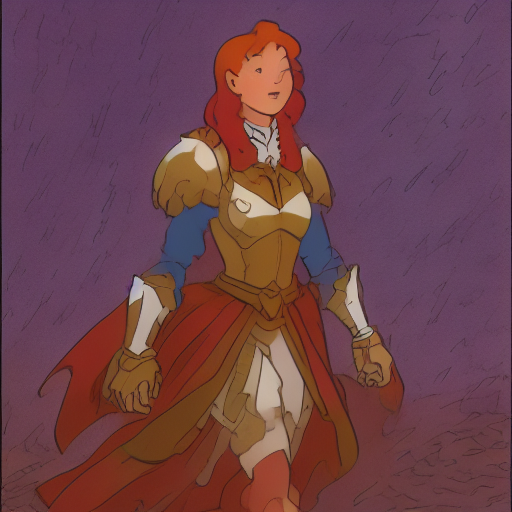
Try using with a lower IP-Adapter scale to condition image generation more on the [herge_style](https://huggingface.co/sd-dreambooth-library/herge-style) checkpoint, and remember to use the special token `herge_style` in your prompt to trigger and apply the style.
```py
pipeline.set_ip_adapter_scale(0.4)
prompt = "herge_style woman in armor, best quality, high quality"
generator = torch.Generator(device="cpu").manual_seed(0)
ip_adapter_image = load_image("https://user-images.githubusercontent.com/24734142/266492875-2d50d223-8475-44f0-a7c6-08b51cb53572.png")
image = pipeline(
prompt=prompt,
ip_adapter_image=ip_adapter_image,
num_inference_steps=4,
guidance_scale=1,
).images[0]
image
```
### Structural control
To control image generation to an even greater degree, you can combine IP-Adapter with a model like [ControlNet](../using-diffusers/controlnet). A ControlNet is also an adapter that can be inserted into a diffusion model to allow for conditioning on an additional control image. The control image can be depth maps, edge maps, pose estimations, and more.
Load a [`ControlNetModel`] checkpoint conditioned on depth maps, insert it into a diffusion model, and load the IP-Adapter.
```py
from diffusers import StableDiffusionControlNetPipeline, ControlNetModel
import torch
from diffusers.utils import load_image
controlnet_model_path = "lllyasviel/control_v11f1p_sd15_depth"
controlnet = ControlNetModel.from_pretrained(controlnet_model_path, torch_dtype=torch.float16)
pipeline = StableDiffusionControlNetPipeline.from_pretrained(
"runwayml/stable-diffusion-v1-5", controlnet=controlnet, torch_dtype=torch.float16)
pipeline.to("cuda")
pipeline.load_ip_adapter("h94/IP-Adapter", subfolder="models", weight_name="ip-adapter_sd15.bin")
```
Now load the IP-Adapter image and depth map.
```py
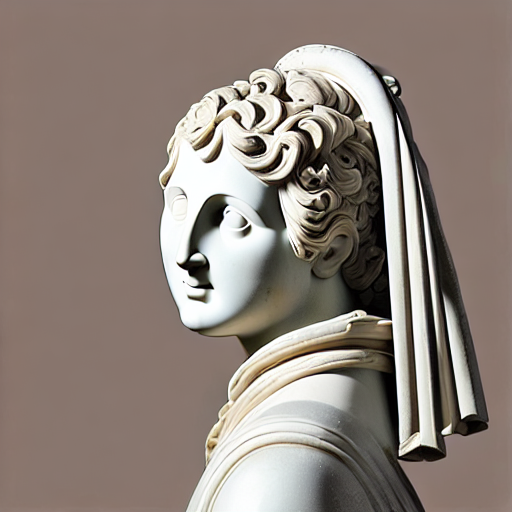
ip_adapter_image = load_image("https://huggingface.co/datasets/YiYiXu/testing-images/resolve/main/statue.png")
depth_map = load_image("https://huggingface.co/datasets/YiYiXu/testing-images/resolve/main/depth.png")
```
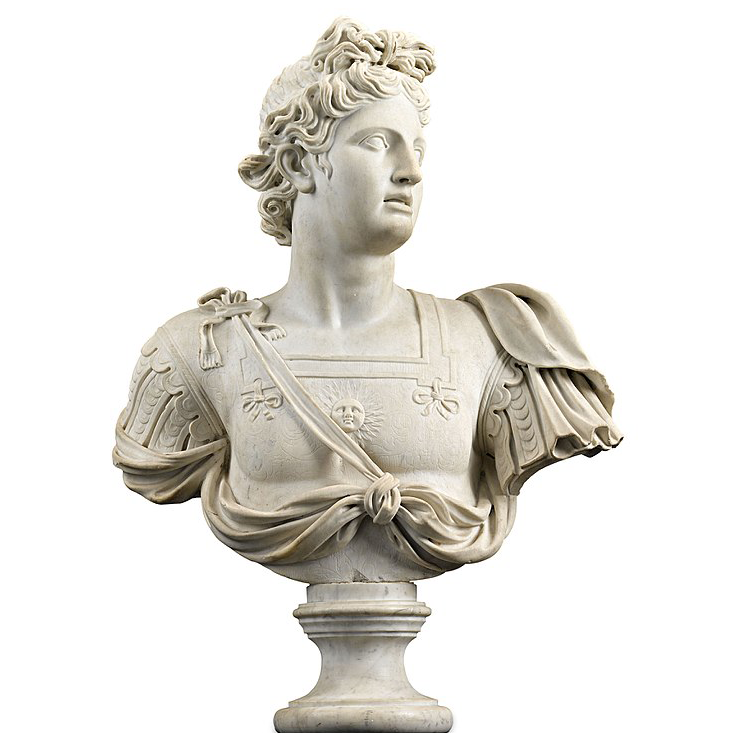 IP-Adapter image
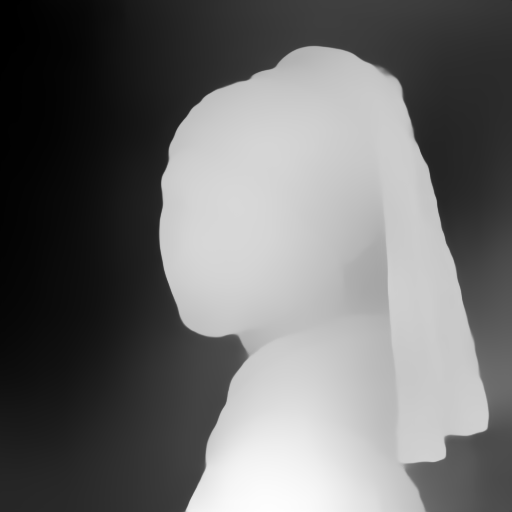 depth map
Pass the depth map and IP-Adapter image to the pipeline to generate an image.
```py
generator = torch.Generator(device="cpu").manual_seed(33)
image = pipeline(
prompt="best quality, high quality",
image=depth_map,
ip_adapter_image=ip_adapter_image,
negative_prompt="monochrome, lowres, bad anatomy, worst quality, low quality",
num_inference_steps=50,
generator=generator,
).images[0]
image
```
### IP-Adapter masking
Binary masks can be used to specify which portion of the output image should be assigned to an IP-Adapter.
For each input IP-Adapter image, a binary mask and an IP-Adapter must be provided.
Before passing the masks to the pipeline, it's essential to preprocess them using [`IPAdapterMaskProcessor.preprocess()`].
> [!TIP]
> For optimal results, provide the output height and width to [`IPAdapterMaskProcessor.preprocess()`]. This ensures that masks with differing aspect ratios are appropriately stretched. If the input masks already match the aspect ratio of the generated image, specifying height and width can be omitted.
Here an example with two masks:
```py
from diffusers.image_processor import IPAdapterMaskProcessor
mask1 = load_image("https://huggingface.co/datasets/YiYiXu/testing-images/resolve/main/ip_mask_mask1.png")
mask2 = load_image("https://huggingface.co/datasets/YiYiXu/testing-images/resolve/main/ip_mask_mask2.png")
output_height = 1024
output_width = 1024
processor = IPAdapterMaskProcessor()
masks = processor.preprocess([mask1, mask2], height=output_height, width=output_width)
```
 mask one
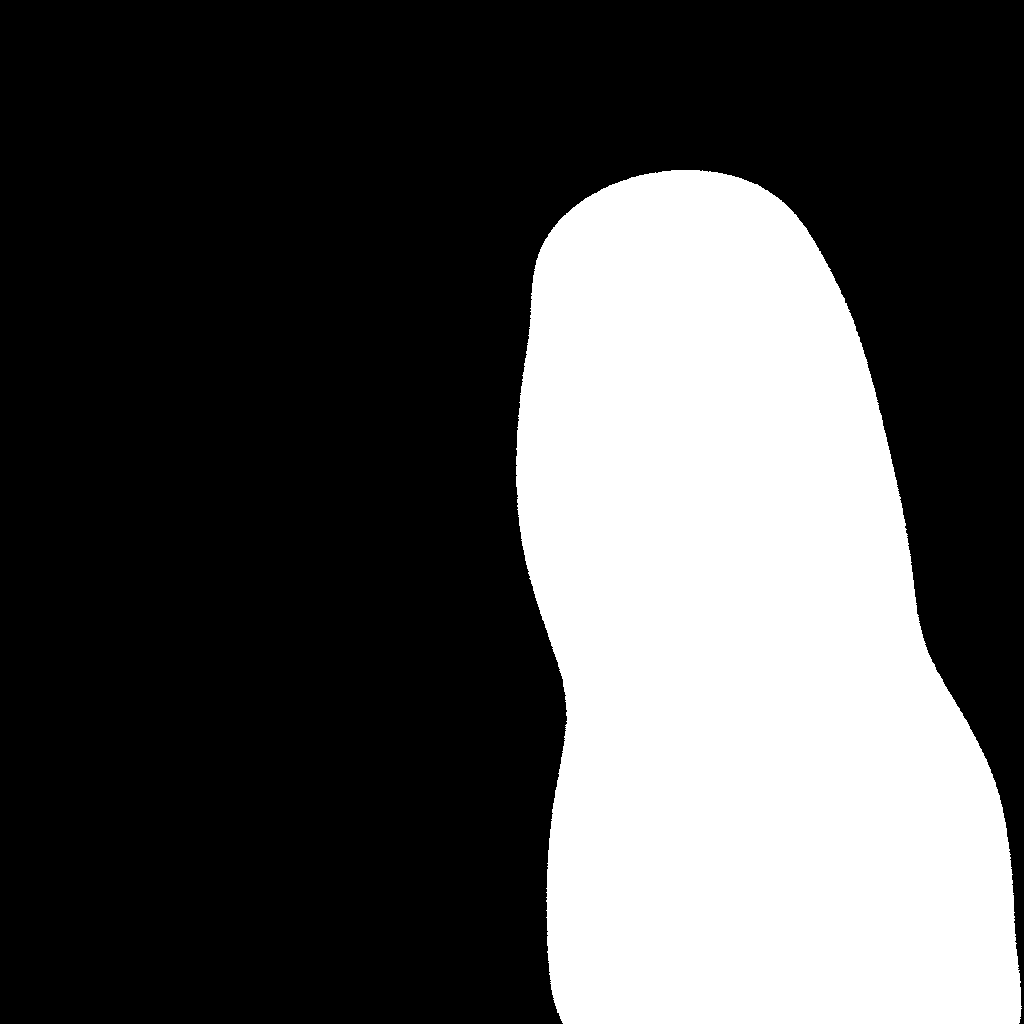 mask two
If you have more than one IP-Adapter image, load them into a list, ensuring each image is assigned to a different IP-Adapter.
```py
face_image1 = load_image("https://huggingface.co/datasets/YiYiXu/testing-images/resolve/main/ip_mask_girl1.png")
face_image2 = load_image("https://huggingface.co/datasets/YiYiXu/testing-images/resolve/main/ip_mask_girl2.png")
ip_images = [[face_image1], [face_image2]]
```
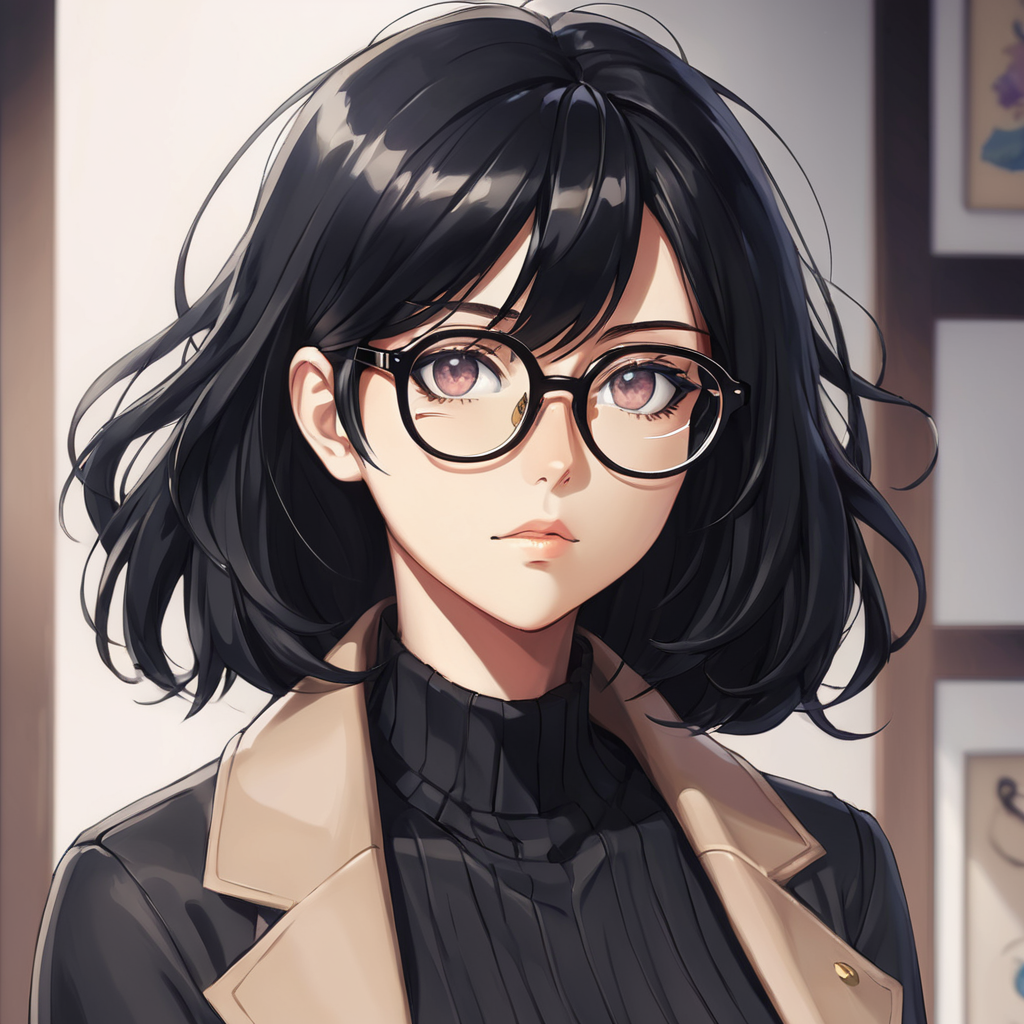 ip adapter image one
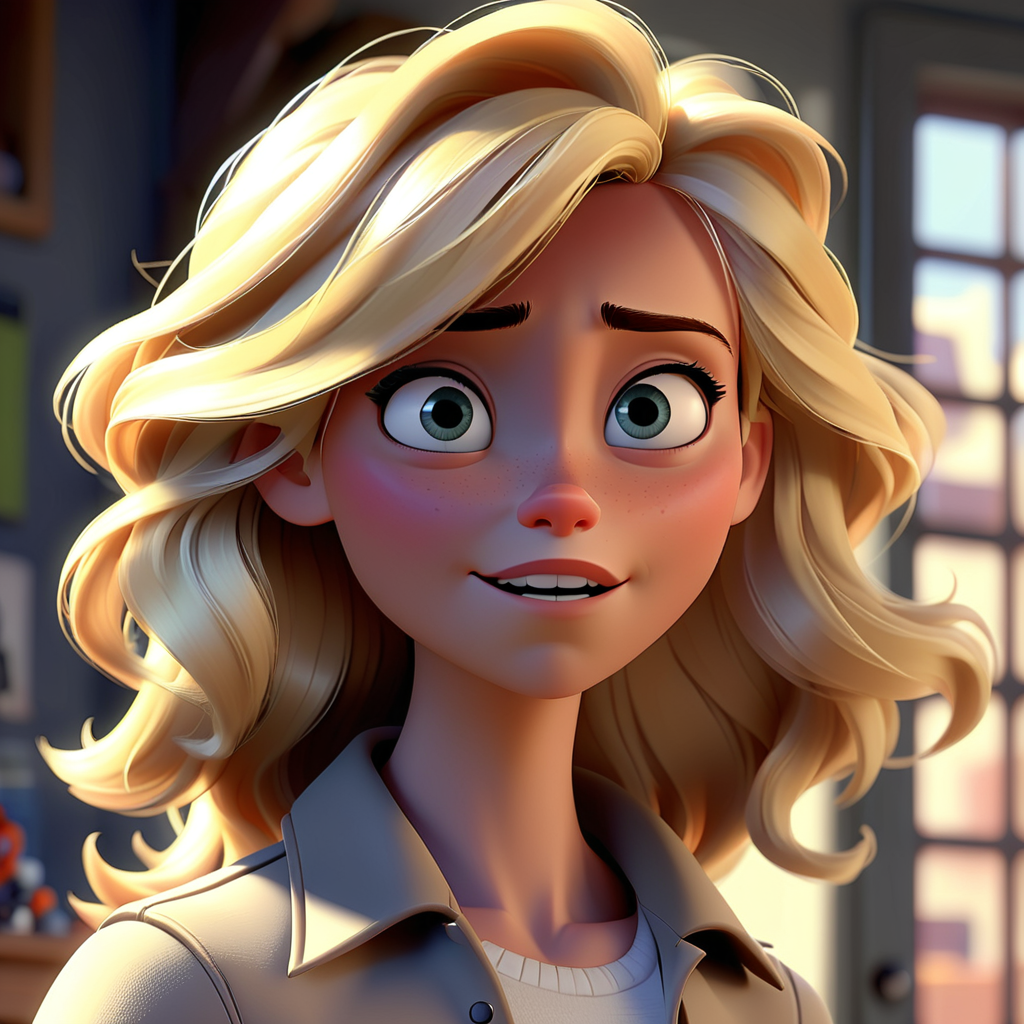 ip adapter image two
Pass preprocessed masks to the pipeline using `cross_attention_kwargs` as shown below:
```py
pipeline.load_ip_adapter("h94/IP-Adapter", subfolder="sdxl_models", weight_name=["ip-adapter-plus-face_sdxl_vit-h.safetensors"] * 2)
pipeline.set_ip_adapter_scale([0.7] * 2)
generator = torch.Generator(device="cpu").manual_seed(0)
num_images = 1
image = pipeline(
prompt="2 girls",
ip_adapter_image=ip_images,
negative_prompt="monochrome, lowres, bad anatomy, worst quality, low quality",
num_inference_steps=20, num_images_per_prompt=num_images,
generator=generator, cross_attention_kwargs={"ip_adapter_masks": masks}
).images[0]
image
```
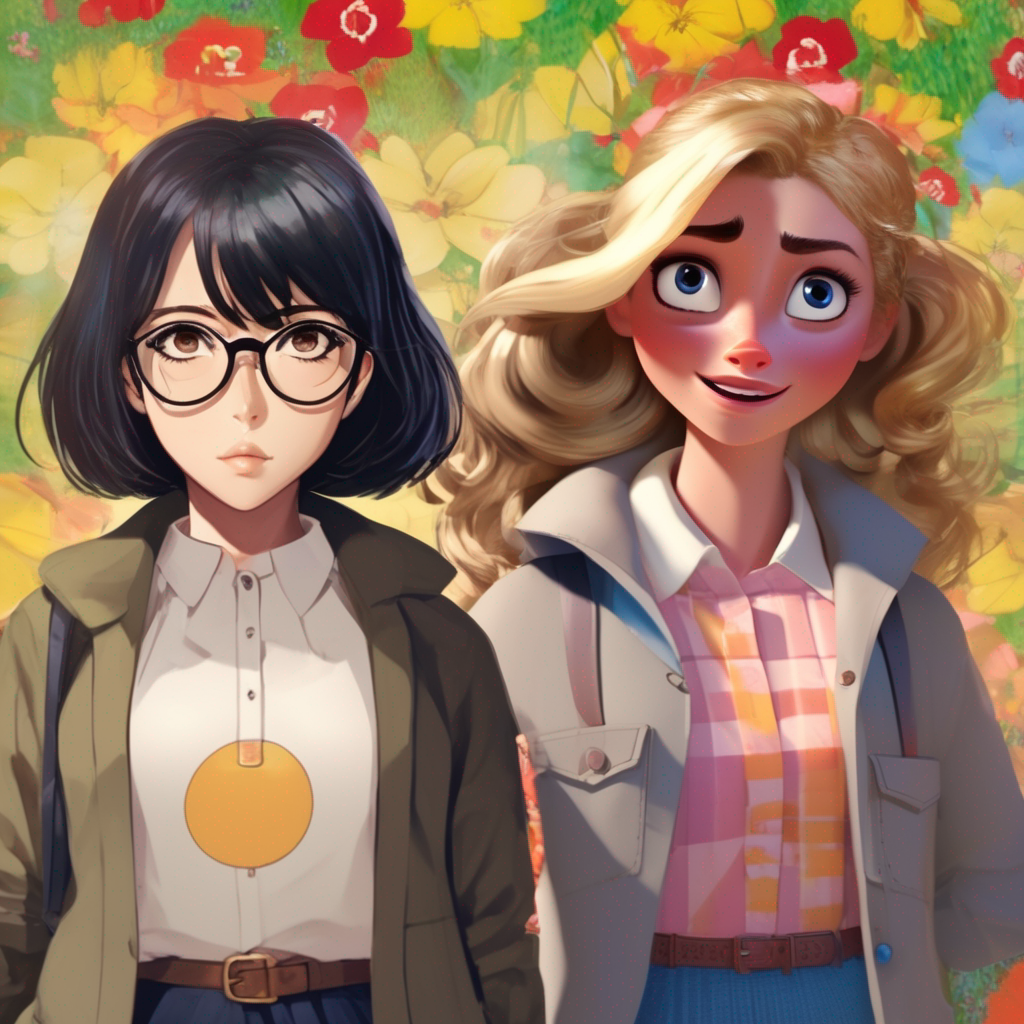 output image