> [!WARNING]
> This pipeline is deprecated but it can still be used. However, we won't test the pipeline anymore and won't accept any changes to it. If you run into any issues, reinstall the last Diffusers version that supported this model.
# Text-to-video
[ModelScope Text-to-Video Technical Report](https://huggingface.co/papers/2308.06571) is by Jiuniu Wang, Hangjie Yuan, Dayou Chen, Yingya Zhang, Xiang Wang, Shiwei Zhang.
The abstract from the paper is:
*This paper introduces ModelScopeT2V, a text-to-video synthesis model that evolves from a text-to-image synthesis model (i.e., Stable Diffusion). ModelScopeT2V incorporates spatio-temporal blocks to ensure consistent frame generation and smooth movement transitions. The model could adapt to varying frame numbers during training and inference, rendering it suitable for both image-text and video-text datasets. ModelScopeT2V brings together three components (i.e., VQGAN, a text encoder, and a denoising UNet), totally comprising 1.7 billion parameters, in which 0.5 billion parameters are dedicated to temporal capabilities. The model demonstrates superior performance over state-of-the-art methods across three evaluation metrics. The code and an online demo are available at https://modelscope.cn/models/damo/text-to-video-synthesis/summary.*
You can find additional information about Text-to-Video on the [project page](https://modelscope.cn/models/damo/text-to-video-synthesis/summary), [original codebase](https://github.com/modelscope/modelscope/), and try it out in a [demo](https://huggingface.co/spaces/damo-vilab/modelscope-text-to-video-synthesis). Official checkpoints can be found at [damo-vilab](https://huggingface.co/damo-vilab) and [cerspense](https://huggingface.co/cerspense).
## Usage example
### `text-to-video-ms-1.7b`
Let's start by generating a short video with the default length of 16 frames (2s at 8 fps):
```python
import torch
from diffusers import DiffusionPipeline
from diffusers.utils import export_to_video
pipe = DiffusionPipeline.from_pretrained("damo-vilab/text-to-video-ms-1.7b", torch_dtype=torch.float16, variant="fp16")
pipe = pipe.to("cuda")
prompt = "Spiderman is surfing"
video_frames = pipe(prompt).frames[0]
video_path = export_to_video(video_frames)
video_path
```
Diffusers supports different optimization techniques to improve the latency
and memory footprint of a pipeline. Since videos are often more memory-heavy than images,
we can enable CPU offloading and VAE slicing to keep the memory footprint at bay.
Let's generate a video of 8 seconds (64 frames) on the same GPU using CPU offloading and VAE slicing:
```python
import torch
from diffusers import DiffusionPipeline
from diffusers.utils import export_to_video
pipe = DiffusionPipeline.from_pretrained("damo-vilab/text-to-video-ms-1.7b", torch_dtype=torch.float16, variant="fp16")
pipe.enable_model_cpu_offload()
# memory optimization
pipe.enable_vae_slicing()
prompt = "Darth Vader surfing a wave"
video_frames = pipe(prompt, num_frames=64).frames[0]
video_path = export_to_video(video_frames)
video_path
```
It just takes **7 GBs of GPU memory** to generate the 64 video frames using PyTorch 2.0, "fp16" precision and the techniques mentioned above.
We can also use a different scheduler easily, using the same method we'd use for Stable Diffusion:
```python
import torch
from diffusers import DiffusionPipeline, DPMSolverMultistepScheduler
from diffusers.utils import export_to_video
pipe = DiffusionPipeline.from_pretrained("damo-vilab/text-to-video-ms-1.7b", torch_dtype=torch.float16, variant="fp16")
pipe.scheduler = DPMSolverMultistepScheduler.from_config(pipe.scheduler.config)
pipe.enable_model_cpu_offload()
prompt = "Spiderman is surfing"
video_frames = pipe(prompt, num_inference_steps=25).frames[0]
video_path = export_to_video(video_frames)
video_path
```
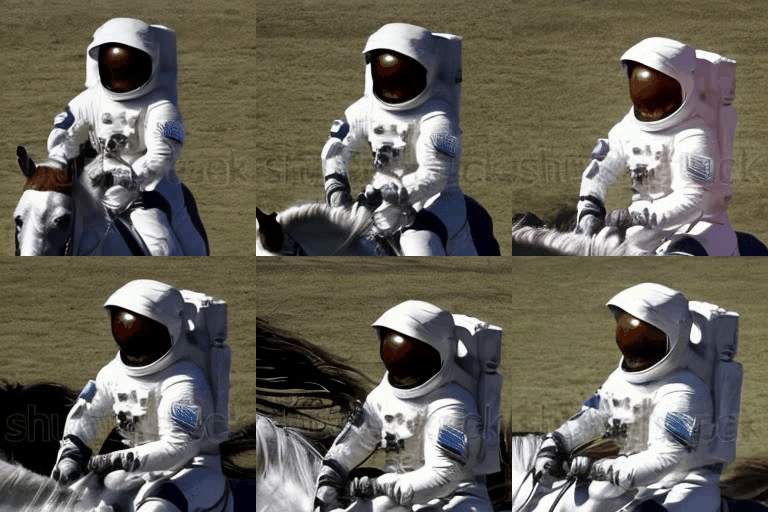
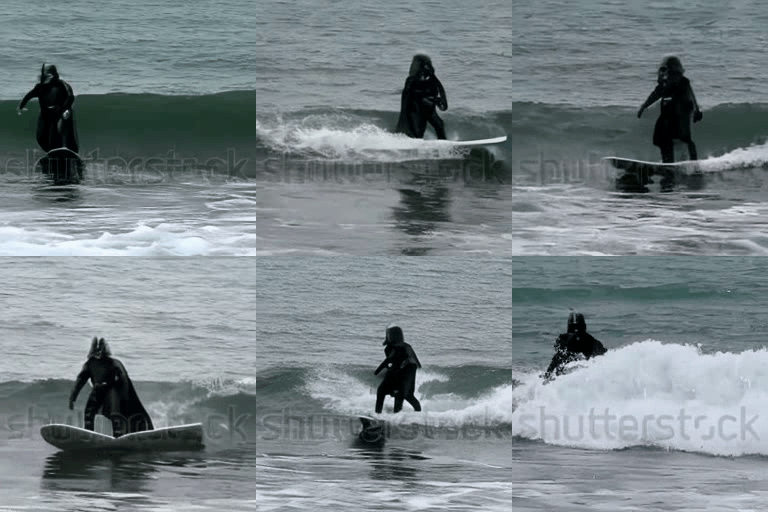
Here are some sample outputs:
An astronaut riding a horse.
Darth vader surfing in waves.
### `cerspense/zeroscope_v2_576w` & `cerspense/zeroscope_v2_XL`
Zeroscope are watermark-free model and have been trained on specific sizes such as `576x320` and `1024x576`.
One should first generate a video using the lower resolution checkpoint [`cerspense/zeroscope_v2_576w`](https://huggingface.co/cerspense/zeroscope_v2_576w) with [`TextToVideoSDPipeline`],
which can then be upscaled using [`VideoToVideoSDPipeline`] and [`cerspense/zeroscope_v2_XL`](https://huggingface.co/cerspense/zeroscope_v2_XL).
```py
import torch
from diffusers import DiffusionPipeline, DPMSolverMultistepScheduler
from diffusers.utils import export_to_video
from PIL import Image
pipe = DiffusionPipeline.from_pretrained("cerspense/zeroscope_v2_576w", torch_dtype=torch.float16)
pipe.enable_model_cpu_offload()
# memory optimization
pipe.unet.enable_forward_chunking(chunk_size=1, dim=1)
pipe.enable_vae_slicing()
prompt = "Darth Vader surfing a wave"
video_frames = pipe(prompt, num_frames=24).frames[0]
video_path = export_to_video(video_frames)
video_path
```
Now the video can be upscaled:
```py
pipe = DiffusionPipeline.from_pretrained("cerspense/zeroscope_v2_XL", torch_dtype=torch.float16)
pipe.scheduler = DPMSolverMultistepScheduler.from_config(pipe.scheduler.config)
pipe.enable_model_cpu_offload()
# memory optimization
pipe.unet.enable_forward_chunking(chunk_size=1, dim=1)
pipe.enable_vae_slicing()
video = [Image.fromarray(frame).resize((1024, 576)) for frame in video_frames]
video_frames = pipe(prompt, video=video, strength=0.6).frames[0]
video_path = export_to_video(video_frames)
video_path
```
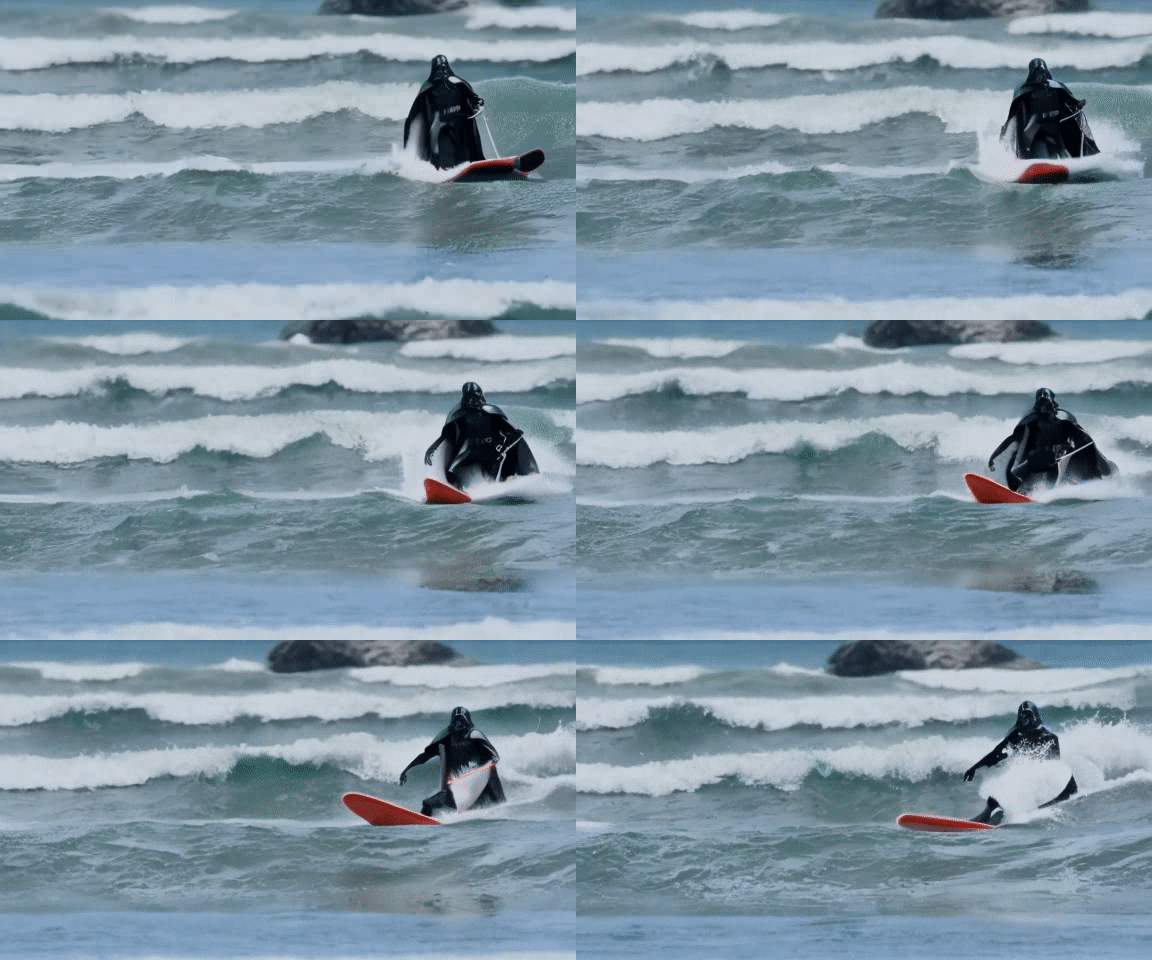
Here are some sample outputs:
Darth vader surfing in waves.
## Tips
Video generation is memory-intensive and one way to reduce your memory usage is to set `enable_forward_chunking` on the pipeline's UNet so you don't run the entire feedforward layer at once. Breaking it up into chunks in a loop is more efficient.
Check out the [Text or image-to-video](text-img2vid) guide for more details about how certain parameters can affect video generation and how to optimize inference by reducing memory usage.
Make sure to check out the Schedulers [guide](../../using-diffusers/schedulers) to learn how to explore the tradeoff between scheduler speed and quality, and see the [reuse components across pipelines](../../using-diffusers/loading#reuse-a-pipeline) section to learn how to efficiently load the same components into multiple pipelines.
## TextToVideoSDPipeline
[[autodoc]] TextToVideoSDPipeline
- all
- __call__
## VideoToVideoSDPipeline
[[autodoc]] VideoToVideoSDPipeline
- all
- __call__
## TextToVideoSDPipelineOutput
[[autodoc]] pipelines.text_to_video_synthesis.TextToVideoSDPipelineOutput